
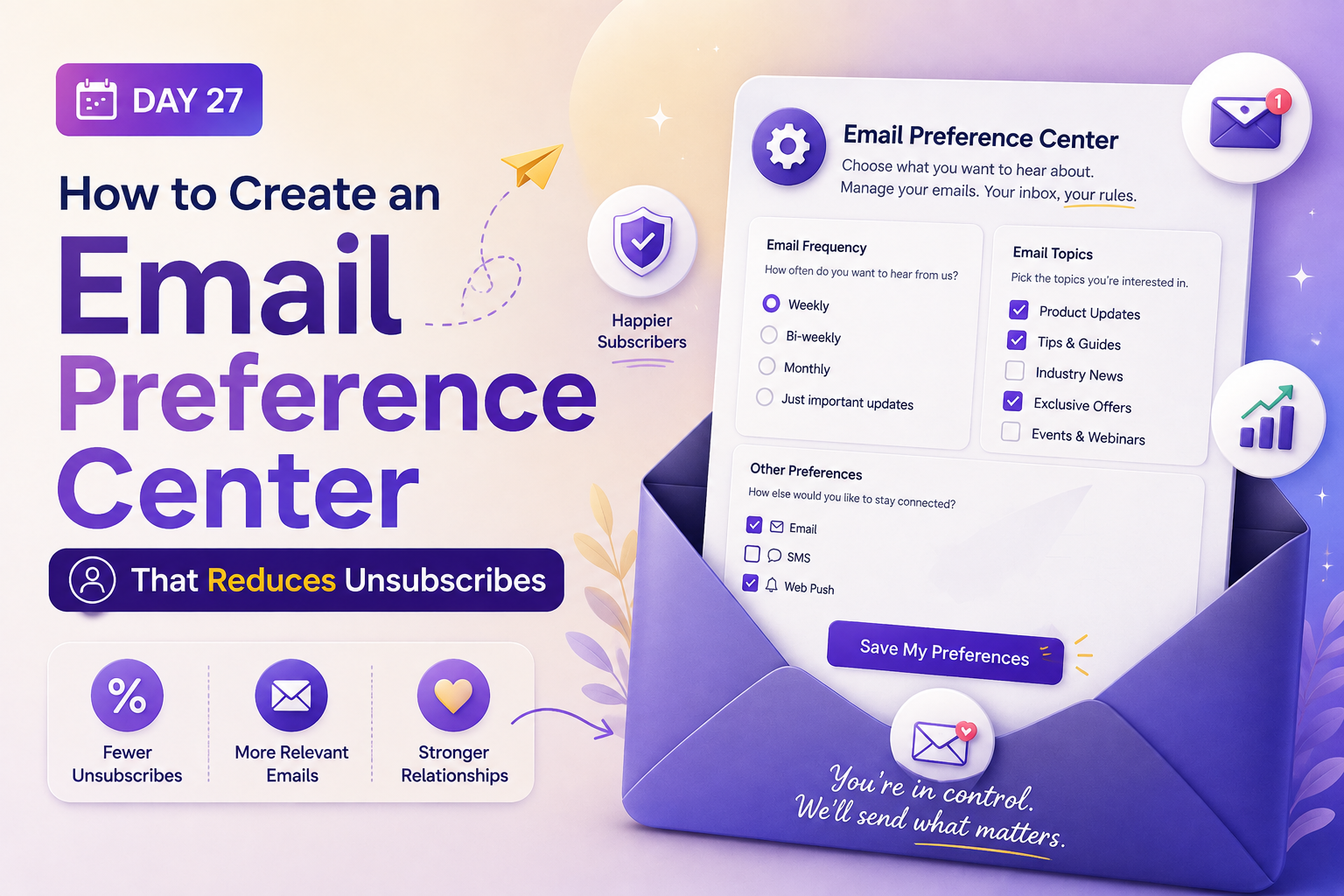


Have you ever wondered why your most loyal subscribers suddenly hit the unsubscribe button? Often, it is not because they dislike your brand, but because your messages no longer match their current interests.
You can solve this by building an email preference center. This tool empowers your audience to choose exactly what they want to receive, which keeps your list healthy and engaged.
By giving users control, you turn a potential departure into a chance to refine your communication strategy. This guide will walk you through the entire process of planning, designing, and testing your new system.
We will show you how to optimize your subscriber experience to ensure long-term growth. Let’s get started on building a solution that keeps your audience connected to your content.
Key Takeaways
- Empower subscribers to select their content interests to lower churn rates.
- Improve overall engagement by delivering highly relevant messages.
- Plan your layout to ensure a seamless user experience across all devices.
- Test your design thoroughly to maximize conversion and retention.
- Use data-driven insights to refine your communication strategy over time.
Reduce Unsubscribes With Smarter Email Preferences
Give subscribers more control over what they receive and turn potential unsubscribes into lasting engagement with a smarter email preference strategy built for growth today.
Why an Email Preference Center Reduces Unsubscribes
An email preference center serves as a vital bridge between your brand and your audience’s specific interests. By providing a dedicated space for users to manage their communication settings, you transform a potential departure into a conversation about value. This proactive approach helps you retain subscribers who might otherwise feel overwhelmed by the volume or nature of your messages.
How Subscriber Choice Protects Your Email List
When you offer subscribers the ability to choose what they receive through an email preference center, you demonstrate respect for their time and inbox space. Many users hit the unsubscribe button simply because they feel they have no other way to stop irrelevant content. By offering granular control, you allow them to opt out of specific topics while remaining connected to your brand.
This strategy significantly protects your list health by preventing unnecessary churn. When a subscriber can pause messages or select a lower frequency, they are less likely to mark your emails as spam. Keeping these users on your list ensures that your sender reputation remains strong and your deliverability stays high.
The Relationship Between Message Relevance and Engagement
Engagement thrives when content aligns perfectly with the reader’s current needs. An email preference center acts as a feedback loop that informs your marketing strategy. When subscribers explicitly tell you what they want to read, your open and click-through rates naturally improve.
Relevant messages delivered through an email preference center feel like a service rather than an intrusion. By segmenting your audience based on their stated preferences, you ensure that every campaign provides genuine value. This alignment reduces the likelihood of dissatisfaction and keeps your brand top-of-mind for the right reasons.
When Preference Management Works Better Than an Unsubscribe Link
Sometimes, a subscriber is not ready to leave your brand entirely but just needs a break from the noise. Providing a clear alternative through an email preference center allows you to capture these users before they are lost forever. This moment of choice is a critical opportunity to re-engage a customer who is feeling slightly disengaged.
The following table highlights why offering a choice is often superior to a binary unsubscribe option:
| Feature | Unsubscribe Link | Email Preference Center |
|---|---|---|
| Subscriber Control | None (All or Nothing) | High (Granular Options) |
| Retention Rate | Low (Immediate Loss) | High (Flexible Retention) |
| Data Insights | Minimal | Detailed Interest Profiles |
| Brand Perception | Neutral | Positive and Respectful |
By implementing these tools, you empower your audience to curate their own experience. This shift from a passive list to an active community is the hallmark of a mature, customer-centric marketing strategy.
Define the Goals of Your Email Preference Center
Before you build a preference center, you must define the specific problems you want to solve for your audience. A well-planned system does more than just capture data; it acts as a bridge between your brand and the inbox. By focusing on clear objectives, you ensure that your efforts contribute directly to subscriber retention and overall brand loyalty.
Identify the Subscriber Experience You Want to Improve
Start by analyzing why your current subscribers might feel overwhelmed or disconnected. Are they receiving too many messages, or is the content failing to meet their specific interests? Identifying these friction points allows you to design an email preference center that empowers users to curate their own journey.
Consider the following common subscriber pain points:
- Receiving irrelevant content that clutters the inbox.
- Lack of control over the frequency of communication.
- Difficulty finding a way to pause rather than permanently unsubscribe.
Set Objectives for Retention, Engagement, and List Health
Your email preference center should be a strategic tool that supports your long-term business goals. When you prioritize list health, you naturally improve the quality of your audience by keeping only those who truly want to hear from you. This proactive approach helps maintain a clean database and protects your sender reputation.
Focus on these three pillars to guide your strategy:
- Retention: Reduce churn by offering alternatives to the “unsubscribe all” button.
- Engagement: Increase interaction by allowing users to select topics they find valuable.
- List Health: Regularly prune inactive users who refuse to update their preferences.
Choose Metrics That Show Whether Preferences Are Working
To determine if your strategy is effective, you must track specific email engagement metrics. These data points provide a clear picture of how your audience interacts with your brand after they adjust their settings in an email preference center. By monitoring these trends, you can refine your approach and continue to optimize the user experience.
Unsubscribe and spam complaint rates
A successful preference center should lead to a measurable decrease in total unsubscribes. If users have the option to “opt-down” to a lower frequency, they are less likely to mark your messages as spam.
Click-through rates by content type
When subscribers choose their preferred topics, you should see a rise in engagement. Tracking clicks by category helps you understand which content resonates most with your segmented audience.
Preference updates and re-engagement activity
Monitor how often users visit the page to update their settings. High activity here indicates that your audience values the control you provide, which is a strong indicator of long-term subscriber retention.
Plan the Choices Subscribers Need
When you offer clear choices, you empower your subscribers to curate their own brand experience. A well-structured preference center acts as a bridge between your business objectives and the specific needs of your audience. By focusing on relevant categories, you ensure that every message sent provides genuine value to the recipient.
Let Subscribers Select Email Topics
Allowing users to choose their interests through an email preference center is the foundation of a healthy list. By implementing email topic preferences, you move away from a “one-size-fits-all” approach that often leads to fatigue. For example, a retail brand might allow users to toggle between “Weekly Sales,” “New Arrivals,” and “Style Guides” to ensure they only receive what they truly want.
Offer Frequency Options Without Creating Confusion
Managing the volume of incoming messages through an email preference center is a top priority for most busy professionals. You should provide clear email frequency preferences that allow subscribers to choose between daily, weekly, or monthly updates. Keeping these options simple prevents decision paralysis and helps maintain a consistent connection with your brand.
Include Content Formats, Product Categories, and Regional Preferences
To deepen engagement, consider offering granular controls that reflect the diversity of your audience. You might allow users to select their preferred content formats, such as video tutorials versus text-based newsletters. Furthermore, for businesses operating across the United States, providing regional settings ensures that subscribers receive location-specific updates, such as store openings or local events.
Balance Personalization With a Manageable Number of Settings
While content personalization is a powerful tool, you must avoid overwhelming your users with too many checkboxes. A cluttered interface can frustrate subscribers and lead them to abandon the page entirely. Aim for a clean, intuitive email preference center layout that highlights the most impactful choices without requiring excessive effort from the user.
| Preference Type | Primary Benefit | User Impact |
|---|---|---|
| Topic Selection | Increased Relevance | Higher Click-Through Rates |
| Frequency Control | Reduced Fatigue | Lower Unsubscribe Rates |
| Regional Settings | Localized Value | Improved Conversion |
| Format Choice | Enhanced Accessibility | Better Engagement |
Design a Clear and Trustworthy Preference Center
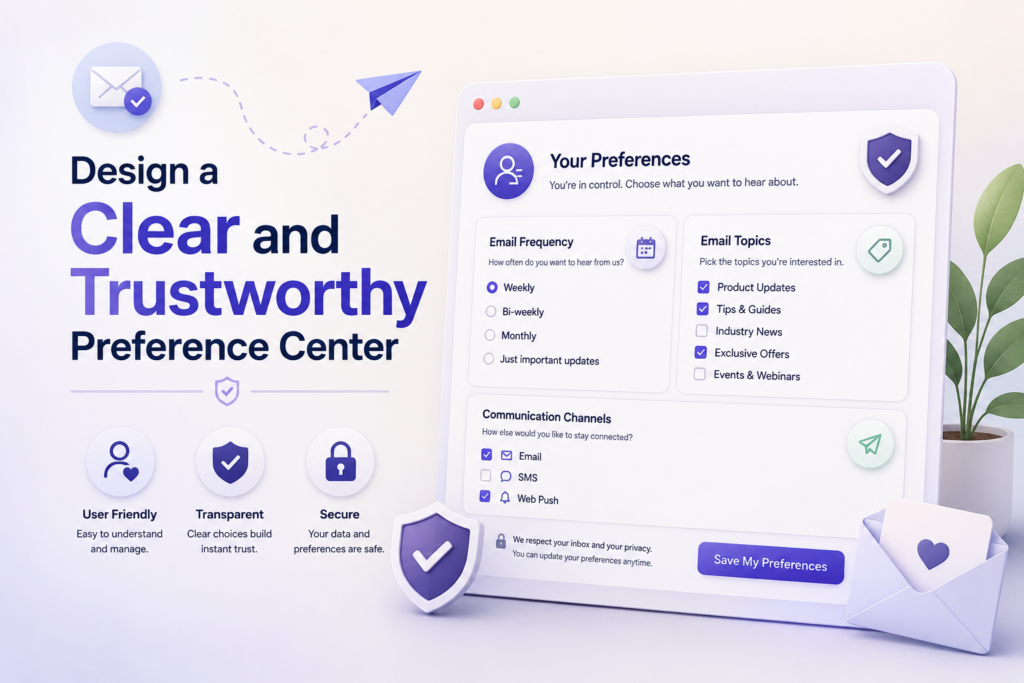
You can transform how subscribers interact with your brand by refining your preference center design. A clean, intuitive interface does more than just organize data; it builds subscriber trust by showing that you value their time and inbox space. When users feel in control of their experience, they are far more likely to remain engaged with your content.
Use Plain Language for Every Preference Option
Avoid technical jargon or internal marketing terminology that might confuse your audience. Use straightforward, descriptive labels for every category, frequency, or topic you offer. Clear communication ensures that every subscriber understands exactly what they are choosing.
Make the Page Easy to Scan on Mobile Devices
Most of your audience will likely access these settings from a smartphone. Implementing mobile-friendly email settings is essential for a seamless user experience. Use large touch targets, readable font sizes, and a single-column layout to keep the page scannable.
Explain What Subscribers Will Receive After Each Selection
Transparency is the foundation of a healthy email preference center experience. Provide brief descriptions or tooltips that clarify the value of each subscription type. When subscribers know what to expect, they feel more confident in their choices.
Use Clear Save, Confirm, and Return-to-Inbox Actions
Your interface should guide the user toward a successful update without any friction. Use high-contrast buttons that clearly indicate the next step in the process.
Display the subscriber’s current selections
Always show the user what they are currently subscribed to before they make changes. This visual confirmation helps them understand their baseline and makes it easier to identify what they want to modify.
Prevent accidental changes and lost updates
Implement safeguards to ensure that every change is intentional. Use a clear “Save Changes” button and provide a success message once the update is processed. This prevents frustration and ensures that your data remains accurate.
- Confirm updates with a visible success notification.
- Use accessible labels for all form fields.
- Ensure mobile-friendly email settings are tested across all major devices.
Build the Core Features of Your Email Preference Center
Technical reliability is the backbone of any successful email management tool. When you give subscribers control, your backend systems must be ready to process those changes instantly across all your marketing channels.
Turn Subscriber Choices Into Growth
Create a free account and start building personalized email experiences that respect subscriber choices, improve relevance, and keep your audience engaged longer from day one.
Connect Preference Controls to Your Email Marketing Platform
A seamless email preference center platform integration ensures that every choice a user makes is reflected in your database immediately. This email preference center synchronization prevents the frustration of receiving unwanted emails after a user has already opted out. By linking your form directly to your CRM, you maintain a single source of truth for subscriber intent.
Allow Subscribers to Pause Messages Temporarily
Sometimes, a subscriber is not ready to leave but simply needs a break from your content. Providing an option to pause email subscriptions through an email preference center for a set period, such as 30 or 60 days, keeps them on your list. This feature is a powerful retention tactic that respects the user’s current life circumstances.
Provide a One-Click Unsubscribe Option
Transparency builds trust, even when a user decides to leave. A clear, one-click unsubscribe link ensures that you comply with global regulations while maintaining a positive brand reputation. Making this process easy prevents users from marking your messages as spam, which protects your sender domain health.
Let Subscribers Update Their Email Address and Profile Details
Data accuracy is vital for long-term engagement. Allow your subscribers to update their contact information or change their primary email address without needing to create a new account. This simple feature reduces duplicate records and keeps your audience data clean and actionable.
Include a Reconfirmation Path for Inactive Subscribers
Inactive contacts can hurt your deliverability rates over time. Instead of simply deleting them, offer a reconfirmation path that asks if they still wish to receive your updates. This gives you one final chance to re-engage them before you remove them from your active mailing list.
| Feature | Primary Benefit | Retention Impact |
|---|---|---|
| Pause Subscription | Prevents permanent churn | High |
| Profile Updates | Maintains data accuracy | Medium |
| One-Click Unsubscribe | Protects sender reputation | Neutral |
| Reconfirmation Path | Cleans inactive segments | High |
Apply Email Preference Center Best Practices
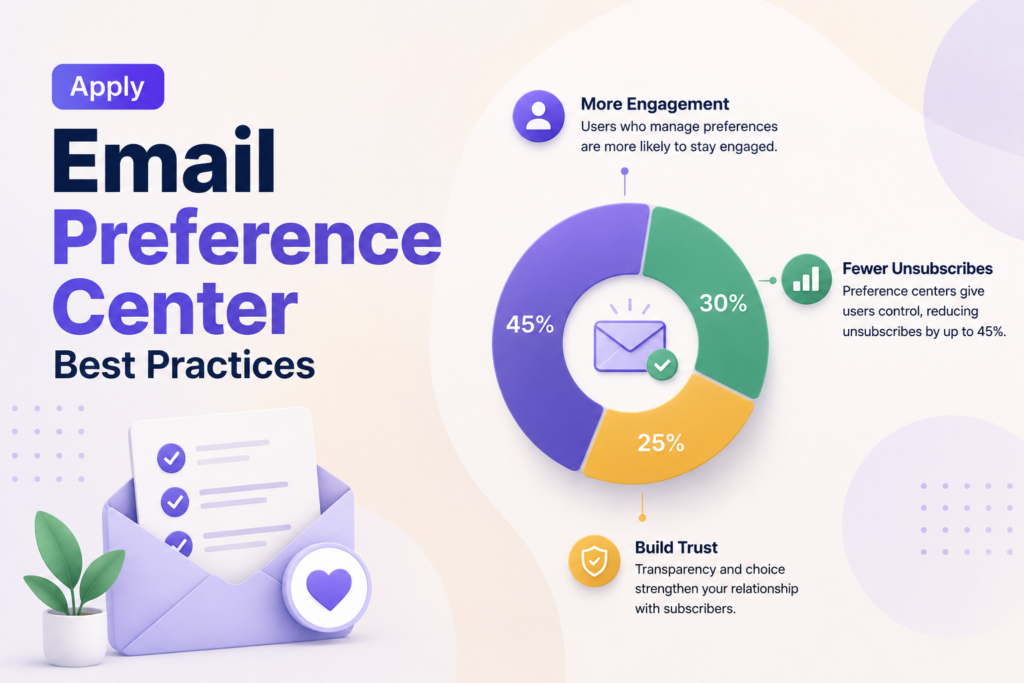
When you prioritize the subscriber experience, you turn simple settings into a powerful tool for long-term engagement. Adopting email preference center best practices ensures that your brand remains both transparent and respected by your audience. These operational standards help you maintain a healthy list while reducing unnecessary churn.
Link to Preferences in Every Marketing Email
Your preference link should be a permanent fixture in the footer of every message you send. By making this link easy to find, you provide an alternative to the dreaded “unsubscribe all” button. This simple step empowers your readers to curate their own experience rather than leaving your list entirely.
Make Preference Updates Available Without Requiring a Password
Friction is the enemy of retention. If you force a subscriber to remember a password just to change their email frequency, they will likely choose to unsubscribe instead. Use secure, unique tokens in your URLs to allow one-click access to their personal settings page.
“The best way to keep a subscriber is to give them the power to choose exactly what they want to hear from you.”
Respect Subscriber Choices Across Every Campaign and Automation
Consistency is vital for building trust. If a user opts out of a specific newsletter category, your automated systems must honor that choice immediately. Failing to sync these preferences across all platforms will quickly damage your brand reputation and lead to higher complaint rates.
Keep Transactional Messages Separate From Marketing Preferences
It is important to understand the distinction between commercial content and essential updates. Marketing email compliance requires that you allow users to opt out of promotional material while still receiving critical transactional messages like order confirmations or password resets. Keep these two streams distinct to ensure you remain compliant with global regulations.
Use Accessible Labels, Contrast, and Keyboard Navigation
Your interface must be usable by everyone, including those who rely on assistive technology. Implementing accessible email preferences means using high-contrast colors, clear labels for every checkbox, and full keyboard navigation support. When your page is inclusive, you demonstrate that you value every single member of your audience.
Use Subscriber Data to Personalize Email Management
You can transform simple user choices into a powerful engine for personalized communication. By implementing robust preference data management, you ensure that every message sent provides genuine value to the recipient. This approach moves your strategy beyond generic blasts and into the realm of tailored experiences.
Translate Preference Selections Into Segments
Every time a user selects a topic or frequency, you gain a clear signal of their interests. You should map these selections directly to your CRM to create dynamic subscriber segmentation. This allows you to group users based on what they actually want to read rather than just their past purchase history.
For example, if a user selects “Weekly Newsletter” and “Tech Trends,” your system should automatically add them to those specific segments. This automation ensures that your content reaches the right inbox at the right time. It also reduces the risk of sending irrelevant information that might lead to an unsubscribe.
Use Engagement Signals Without Overriding Explicit Choices
While tracking clicks and opens is helpful, you must prioritize what the user explicitly tells you. Behavioral email personalization should complement, not replace, the settings a user has chosen. If a subscriber opts out of promotional emails, do not override that choice simply because they clicked a link in a transactional message.
Always treat explicit preferences as the “source of truth” for your delivery logic. Engagement data should only be used to refine the content within the categories the user has already approved. This respect for user boundaries builds long-term trust and brand loyalty.
Prevent Conflicting Rules Between Segments and Automations
Complex marketing stacks often suffer from overlapping rules that confuse the delivery engine. You must establish a hierarchy where explicit preferences take precedence over automated triggers. If a user pauses their subscription, ensure that all automated workflows stop immediately, regardless of their segment status.
Regularly audit your automation logic to identify potential conflicts. By keeping your rules simple and transparent, you prevent the frustration of sending unwanted emails to users who have already requested a break. Consistency in your delivery rules is essential for maintaining a healthy sender reputation.
Document How Preference Data Is Stored and Used
Clear internal documentation is vital for maintaining a clean database. You should record exactly how each preference field maps to your marketing platform and how long that data remains active. This practice ensures that your team understands the lifecycle of every data point collected.
Transparency regarding data usage also helps you stay compliant with privacy regulations. When your team knows how to handle preference data management, they can troubleshoot issues faster and provide better support to your subscribers. Keep your documentation updated as you add new features or change your email strategy.
Test and Optimize the Preference Experience
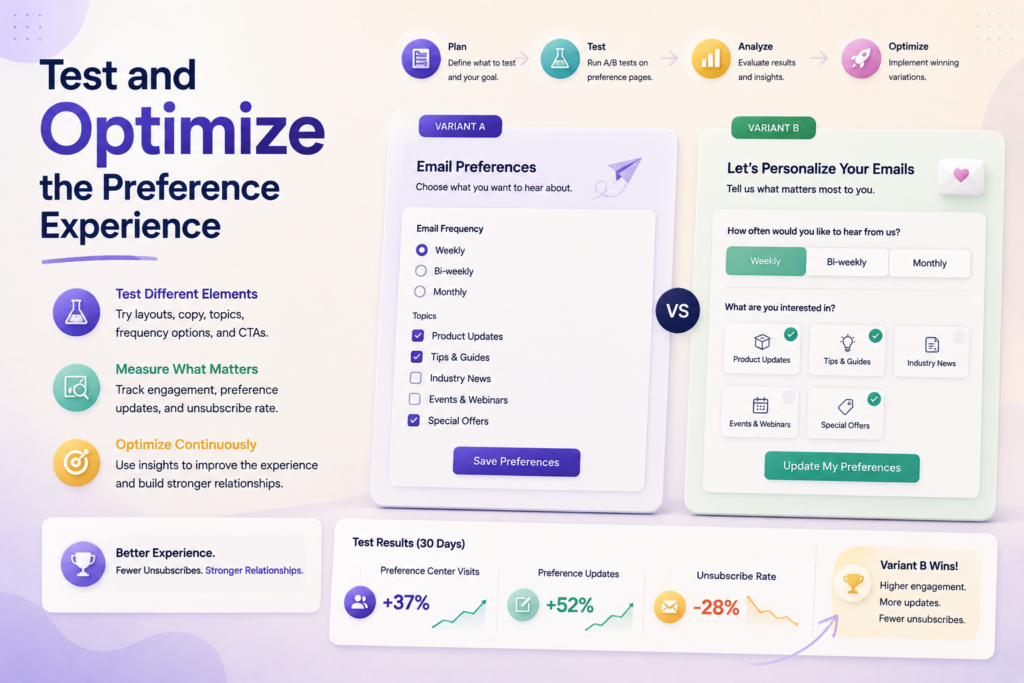
Achieving long-term email marketing optimization starts with a commitment to testing every aspect of your subscriber interface. A well-designed page is only effective if it functions correctly under all conditions. By implementing a rigorous unsubscribe reduction strategy, you protect your sender reputation and maintain a healthy, engaged audience.
Test Preference Center Forms Before Launch
Before you invite users to manage their settings through an email preference center, you must ensure the underlying technology functions flawlessly. Technical failures during the update process can frustrate users and lead to unnecessary churn.
Verify mobile, desktop, and assistive technology behavior
Your form must be responsive and accessible across all devices. Test the layout on various screen sizes and ensure that screen readers can interpret your labels and buttons correctly.
Confirm updates sync with the correct subscriber record
Data integrity is vital for your automation workflows. Perform end-to-end tests to verify that a change in the preference center updates the corresponding field in your database immediately.
Check unsubscribe and resubscription workflows
Validate that the “unsubscribe all” button works instantly. Simultaneously, ensure that a user who accidentally unsubscribes can easily resubscribe through the same portal without encountering errors.
Run Experiments on Copy, Layout, and Frequency Options
Once your system is stable, focus on preference center testing to improve conversion rates. Small changes often lead to significant shifts in how subscribers interact with your brand.
“Optimization is not a one-time event but a continuous cycle of learning, testing, and refining your approach to subscriber communication.”
- A/B test your headlines to see which phrasing encourages more selections.
- Simplify your layout to reduce cognitive load for the user.
- Offer clear frequency options to prevent inbox fatigue.
Use Exit Surveys to Learn Why Subscribers Leave
When a user chooses to leave, use that moment to gather actionable intelligence. An exit survey provides the “why” behind the “what” of your churn metrics.
| Survey Question | Goal | Actionable Insight |
|---|---|---|
| Too many emails? | Frequency check | Adjust send cadence |
| Irrelevant content? | Topic alignment | Refine segmentation |
| Technical issues? | System health | Fix site bugs |
Review Performance by Audience Segment and Email Type
Finally, analyze your data to see how different groups interact with your settings. You may find that specific segments prefer weekly digests while others want real-time updates. Use these insights to tailor your email marketing optimization efforts for better long-term retention.
Email Preference Center Examples That Support Retention
Seeing how top brands manage their email lists provides a blueprint for your own retention-focused email strategy. By examining various preference center use cases, you can identify which design patterns align best with your specific business model and audience behavior.
A Topic-Based Center for a Retail Brand
Retailers often struggle with broad audiences who only care about specific product lines. A topic-based approach allows customers to select their interests, such as “Men’s Apparel,” “Home Decor,” or “Clearance Events.”
- Increased relevance: Subscribers only receive alerts for items they actually intend to buy.
- Reduced clutter: Marketing teams can segment lists effectively based on explicit user input.
- Higher conversion: Targeted emails lead to more meaningful interactions with your store.
A Frequency-Based Center for a Media Publisher
Media companies often face high churn rates when they send too many daily updates. Providing a frequency-based option allows readers to switch from a “Daily Digest” to a “Weekly Summary” instead of hitting the unsubscribe button.
This flexibility respects the reader’s time while keeping your brand in their inbox. It is a powerful way to maintain a long-term relationship with your audience.
A Product-Interest Center for a Software Company
Software brands often have diverse user bases ranging from developers to executive stakeholders. A product-interest center lets users choose between technical documentation, product feature updates, or industry thought leadership.
By tailoring content to the user’s role, you ensure that your communications remain valuable. This prevents the common issue of sending technical deep dives to users who only need high-level business insights.
A Pause-and-Resume Center for Seasonal Subscribers
Some businesses, such as travel agencies or tax services, experience heavy seasonal fluctuations. A pause-and-resume feature allows users to “snooze” their emails for a specific period, such as three or six months.
This approach is far superior to losing a subscriber permanently. It acknowledges that the user’s current needs may change, but they might want to return to your services in the future.
What These Examples Reveal About Effective Preference Design
These email preference center examples demonstrate that the most successful designs prioritize user control. When you give subscribers the power to dictate their experience, you build trust and long-term loyalty.
Effective design is not just about the technical setup; it is about empathy for the subscriber. By offering clear, actionable choices, you turn a potential unsubscribe event into an opportunity to refine your relationship with your audience.
Build Better Subscriber Experiences Today
Start building a better subscriber experience with flexible email preferences that reduce fatigue, improve relevance, and help you retain valuable contacts without adding complexity today.
Conclusion
Your email marketing success depends on the trust you build with your audience. A robust email preference center strategy transforms how you interact with your readers by putting control directly into their hands.
You improve subscriber retention by offering meaningful choices rather than forcing a binary decision between staying or leaving. This approach respects the time and inbox space of your customers while ensuring your content reaches the right people.
Start your implementation by auditing your current communication frequency and topic categories. Map these options to your existing segments to ensure your data remains clean and actionable.
Launch your updated preference page with a focus on mobile accessibility and clear, plain language. Monitor your engagement metrics to see how these adjustments influence your long-term list health.
Refine your design based on direct feedback from your audience. Consistent testing ensures your email preference center strategy remains a powerful tool for growth. You now have the framework to turn passive readers into loyal brand advocates through transparency and respect.
FAQs
What exactly is an email preference center, and how does it support email marketing optimization?
An email preference center is a dedicated landing page where your subscribers can customize their communication experience rather than opting out entirely. It is a critical component of email marketing optimization because it allows you to collect first-party data on subscriber interests and buying intent. By shifting the focus from a binary “stay or leave” choice to a nuanced “choose what you love” model, you maintain a healthier, more engaged list over the long term.
Why is an email preference center more effective than a standard unsubscribe link?
A standard unsubscribe link provides a single exit point that ends the relationship. In contrast, an email preference center acts as a safety net by offering alternatives, such as reducing email frequency or changing content topics. When brands like The New York Times or Morning Brew give you the power to choose specific newsletters, they protect their list health and reduce spam complaints by ensuring you only receive the messages you find valuable.
What are the most important email preference center best practices to follow?
You should always make the preference link easy to find in every marketing email footer. One of the most vital email preference center best practices is ensuring the page is accessible without requiring a password; forcing a login creates friction that leads to more unsubscribes. Additionally, you must ensure that transactional messages—such as receipts from Shopify or password resets—remain separate from marketing preferences so that essential communications are never blocked.
How should I use an email management tool to build these features?
Your email management tool, such as Klaviyo, HubSpot, or Mailchimp, should serve as the “source of truth” for all subscriber data. You need to ensure that the tool’s API or native forms correctly sync selections to the subscriber record in real-time. This technical integration allows you to automate segmentation based on the specific product categories or regional preferences your users have selected.
Can you provide some email preference center examples for different business models?
Different industries require different approaches. For instance, email preference center examples in the retail space, such as Huckberry, often focus on topic-based selections (e.g., gear, apparel, or travel stories). In the software sector, Adobe might offer a product-interest center where you select updates only for the specific tools you use. For media publishers, a frequency-based center is often the most effective way to help readers manage high-volume daily content without feeling overwhelmed.
How do I measure if my preference center is actually working?
You should track key performance indicators such as unsubscribe and spam complaint rates to see if the page is successfully retaining users. Monitor click-through rates by content type to verify if the personalization is hitting the mark. Finally, look at the volume of preference updates; a high number of updates compared to total unsubscribes suggests that your audience trusts your email management tool to respect their choices.
What is the best way to optimize the mobile experience for a preference center?
Since a large percentage of your audience opens emails on smartphones, your page must be easy to scan on mobile devices. Use accessible labels, high-contrast buttons, and large tap targets. Avoid cluttered layouts; instead, use plain language to explain exactly what the subscriber will receive after making a selection. Always include a clear Save Changes button and a return-to-inbox confirmation to provide a seamless user experience.