





Have you ever wondered why your carefully crafted messages vanish into the void instead of reaching your subscribers’ primary inboxes? Many marketers assume that poor performance requires a costly migration to a new platform. However, the secret often lies in your existing infrastructure rather than your service provider.
You can achieve exceptional placement rates by focusing on a healthy sender reputation. By managing your current setup with precision, you maximize your investment while solving common roadblocks effectively. Learning how to improve email deliverability is a strategic process that prioritizes proactive maintenance over reactive switching.
Key Takeaways
- High inbox placement is achievable without changing your current service provider.
- A strong sender reputation serves as the foundation for successful outreach.
- Proactive management of your infrastructure prevents common delivery failures.
- Strategic optimization allows you to maximize your existing marketing budget.
- Consistent monitoring helps you solve technical roadblocks before they escalate.
See Where Your Emails Are Really Landing
Discover your inbox placement, identify deliverability issues, and uncover hidden reputation problems with a free account and instant email health insights.
What are the Mechanics of Email Deliverability?
To truly understand how to improve email deliverability, you must first look at the invisible gatekeepers of the internet. Every time you send a message, Internet Service Providers (ISPs) like Gmail, Outlook, and Yahoo perform a split-second evaluation. They act as digital bouncers, deciding whether your content belongs in the primary inbox or the junk folder.
The Role of Sender Reputation
Think of your sender reputation as a digital credit score that follows your domain and IP address. Understanding how to improve email deliverability begins with building and maintaining a strong sender reputation. ISPs track your historical sending behavior to predict your future reliability. A high score grants you “trusted sender” status, allowing your emails to bypass aggressive filters with ease.
If your reputation dips, your messages are far more likely to be blocked or throttled. This score is not static; it fluctuates based on several critical performance indicators. To maintain a healthy standing, you should monitor these specific metrics:
- Bounce Rates: High numbers of undeliverable emails signal poor list management.
- User Complaints: When recipients mark your mail as spam, it severely damages your credibility.
- Engagement Levels: Low open and click-through rates suggest that your content is not relevant to your audience.
How ISPs Filter Incoming Mail
ISPs utilize complex, proprietary algorithms to analyze incoming traffic for signs of malicious intent. These systems look for patterns that distinguish legitimate business communications from bulk spam. They examine everything from your authentication protocols to the technical configuration of your mail server.
Beyond technical checks, these filters analyze the behavior of your recipients. If a large portion of your audience ignores your emails or deletes them without opening, the ISP will eventually flag your domain. Learning how to improve email deliverability involves aligning your sending habits with these automated expectations to ensure your messages consistently reach their destination.
How to Improve Email Deliverability Through Authentication Protocols
Technical authentication acts as a digital passport for your outgoing messages. By verifying your identity, you provide receiving servers with the confidence that your emails are legitimate. This foundational work is essential for anyone looking to learn how to improve email deliverability and protect their brand reputation.
Implementing SPF Records Correctly
The Sender Policy Framework (SPF) is a DNS record that lists the IP addresses and domains authorized to send email on your behalf. When a server receives your message, it checks this list to see if the sender matches your records. Properly configured SPF records prevent unauthorized parties from spoofing your domain. Implementing SPF correctly is a foundational step in learning how to improve email deliverability.
To implement this, you must identify every service that sends mail for you, including your ESP and third-party tools. Create a single TXT record in your DNS settings that includes all these sources. Avoid creating multiple SPF records, as this will cause authentication to fail.
Configuring DKIM for Message Integrity
DomainKeys Identified Mail (DKIM) adds a digital signature to your emails. This signature proves that the content of your message has not been altered during transit. It acts as a cryptographic seal that ensures your email remains intact from your server to the recipient’s inbox.
You generate a public and private key pair to set this up. The public key is published in your DNS, while your email platform uses the private key to sign outgoing messages. This process is a critical step in how to improve email deliverability by ensuring message integrity. For businesses researching how to improve email deliverability, DKIM is an essential authentication method.
Setting Up DMARC Policies
Domain-based Message Authentication, Reporting, and Conformance (DMARC) ties SPF and DKIM together. It allows you to tell receiving servers exactly what to do if an email fails authentication checks. You can choose to monitor, quarantine, or reject suspicious messages entirely.
Start with a “p=none” policy to monitor your traffic without blocking legitimate mail. Once you are confident in your setup, you can move to stricter policies like “p=reject.” Implementing DMARC is the most effective way to protect your domain from phishing attacks and maintain high deliverability standards. Many organizations discover how to improve email deliverability by adopting stricter DMARC policies.
Optimizing Your Email List Hygiene
If you want to improve email deliverability, you must start by auditing the quality of your subscriber database. A clean list ensures that your messages reach real people who are genuinely interested in your brand. When you maintain high standards for your audience, you protect your sender reputation and keep your domain out of the spam folder. Maintaining list hygiene is one of the easiest ways to understand how to improve email deliverability.
Identifying and Removing Inactive Subscribers
Sending emails to inactive subscribers who never open them is a major red flag for Internet Service Providers (ISPs). Over time, these inactive accounts signal that your content is irrelevant or unwanted. You should implement a sunset policy to identify and remove these users systematically. Removing disengaged subscribers is a proven tactic for how to improve email deliverability.
- Track engagement metrics like opens and clicks over a 6-month period.
- Launch a re-engagement campaign to win back dormant subscribers.
- Permanently remove any users who remain unresponsive after your final attempt to connect.
Managing Hard and Soft Bounces
Bounces are inevitable, but how you handle them determines your long-term success. A hard bounce indicates a permanent issue, such as an invalid email address, and these should be removed from your list immediately. Conversely, a soft bounce is often temporary, caused by a full inbox or a server outage.
“Quality over quantity is the golden rule of email marketing. A smaller, engaged list will always outperform a massive, neglected one.”
By monitoring these bounce codes, you can effectively improve email deliverability. Never ignore recurring soft bounces, as they can eventually turn into hard bounces and damage your standing with inbox providers. Managing bounces effectively is another important aspect of how to improve email deliverability.
The Importance of Double Opt-In Processes
The best way to keep your list clean is to prevent bad data from entering it in the first place. A double opt-in process requires users to confirm their email address via a verification link before they are added to your mailing list. This simple step ensures that every subscriber is authentic and intentional. Double opt-in processes demonstrate how to improve email deliverability through better list quality.
Using this method helps you avoid typos and prevents bots from flooding your database with fake sign-ups. It is a proactive strategy to improve email deliverability while building a high-quality audience that values your communication.
Crafting Content That Avoids Spam Filters
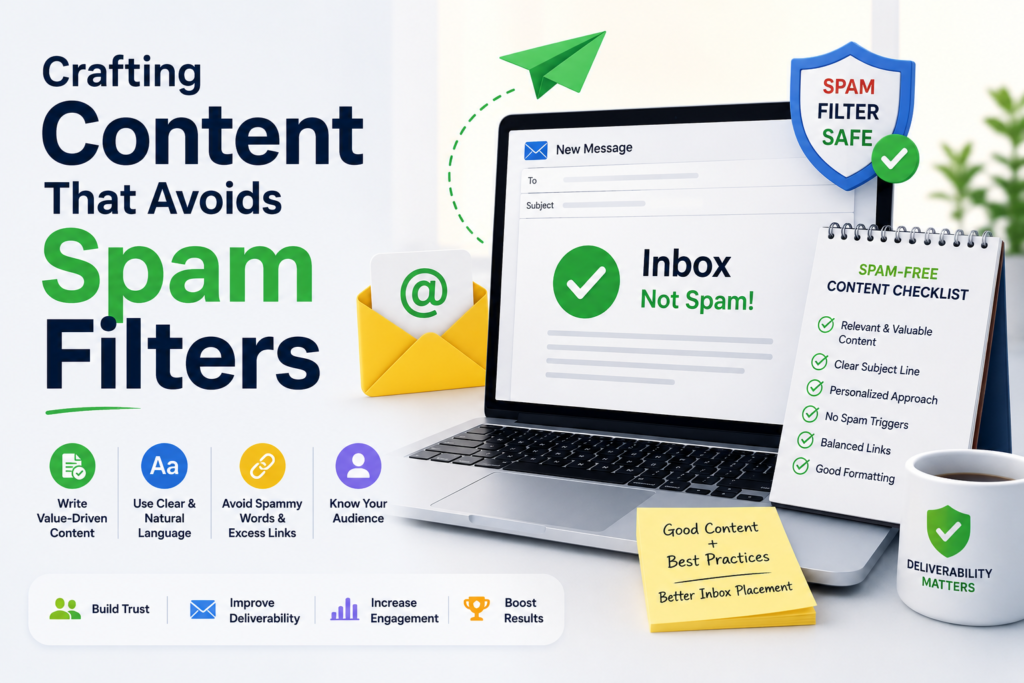
Even with perfect technical settings, your email content can still trigger aggressive spam filters. Major inbox providers analyze the body of your message to determine if it provides value or behaves like unsolicited junk. By refining your content strategy, you can improve email deliverability and ensure your audience actually sees your message.
Avoiding Trigger Words and Excessive Punctuation
Spam filters look for specific patterns that often signal deceptive marketing. Words like “guaranteed,” “cash,” or “urgent” can cause your email to be flagged immediately. Furthermore, using excessive exclamation marks or writing in all capital letters creates a sense of alarm that filters often associate with phishing attempts.
“The best way to reach your audience is to write like a human, not a billboard.”
Focus on building trust through clear, professional language. Content quality plays a major role in how to improve email deliverability and avoid spam filters. Keep your punctuation standard and avoid using aggressive sales tactics that might trigger automated blocks.
Balancing Image-to-Text Ratios
Many marketers rely heavily on images to convey their message, but this can be a major mistake. If your email consists entirely of a single large image, spam filters cannot read the content and may assume you are hiding malicious links. You should always maintain a healthy balance of text to help improve email deliverability.
A good rule of thumb is to ensure that at least 60% of your email is composed of text. Maintaining a healthy image-to-text ratio is part of learning how to improve email deliverability. This allows filters to scan your message for relevant keywords and context, confirming that your email is legitimate.
Ensuring Mobile-Friendly Email Design
Most users check their mail on smartphones, making responsive design a necessity. If your layout breaks on mobile devices, users are more likely to delete the email or mark it as spam. Mobile-friendly designs improve engagement rates, which signals to ISPs that your content is high-quality and desired by your subscribers. Optimizing emails for mobile devices is often overlooked when considering how to improve email deliverability.
Managing Your Sending Cadence and Volume
Maintaining a predictable rhythm is one of the most effective ways to improve email deliverability. When you send messages at irregular intervals, internet service providers (ISPs) may view your activity as suspicious. A steady, reliable pattern helps build trust with inbox algorithms over time. Consistency in sending frequency is a critical factor in how to improve email deliverability.
The Risks of Sudden Spikes in Sending Volume
Sending a massive volume of emails after a long period of inactivity is a common mistake. ISPs often interpret these sudden spikes as potential spam or malicious activity. This behavior can trigger immediate security alerts, leading to temporary throttling or even permanent blocking of your domain.
To protect your sender reputation, you should avoid erratic bursts of traffic. If you need to increase your volume, do so gradually to allow providers to recognize your new activity levels as legitimate.
Establishing a Consistent Sending Schedule
Consistency is the foundation of a healthy sender profile. By sticking to a regular schedule, you signal to inbox providers that your communications are expected and intentional. This predictability makes it easier for filters to categorize your mail correctly.
- Warm up new IPs by starting with small, controlled volumes.
- Maintain a fixed cadence, such as weekly newsletters or monthly updates.
- Monitor your bounce rates closely during any transition periods.
Segmenting Your Audience for Better Engagement
Targeted communication is a powerful strategy to improve email deliverability. Instead of blasting your entire list at once, use segmentation to send relevant content to specific groups. This approach increases engagement rates, which serves as a positive signal to ISPs. Audience segmentation is another effective strategy for how to improve email deliverability.
When your subscribers interact with your emails, your reputation improves significantly. By focusing on quality over quantity, you ensure that your domain remains in good standing with major inbox providers while keeping your audience interested in your brand.
Monitoring Engagement Metrics to Signal Quality
Your email performance data acts as a vital health check for your entire communication strategy. By keeping a close eye on how your audience interacts with your campaigns, you can make data-driven decisions to keep your program healthy without the need for changing ESPs.
Start Improving Deliverability for Free
Track sender reputation, monitor engagement signals, and optimize every campaign with a free trial designed to help your emails reach more inboxes.
Tracking Open Rates and Click-Through Rates
Open rates and click-through rates are the primary indicators of whether your content resonates with your subscribers. Consistent monitoring allows you to spot downward trends before they trigger automated spam filters.
If you notice a sudden drop in engagement, investigate your subject lines and content relevance immediately. High engagement signals to internet service providers that your emails are welcome, which helps maintain your sender reputation over time. Monitoring engagement metrics provides valuable insights into how to improve email deliverability.
Responding to Negative Engagement Signals
Negative signals, such as spam complaints and high bounce rates, act as red flags for inbox providers. You must address these issues quickly to prevent long-term damage to your domain authority.
“Data is the compass that guides your email strategy toward the inbox, turning raw numbers into actionable insights for better deliverability.”
When users mark your mail as spam, it is a clear sign that your list hygiene or content strategy needs an update. Proactive management of these signals ensures that you do not need to consider changing ESPs just to fix reputation problems.
Using Feedback Loops to Identify Issues
Feedback loops are essential tools provided by major mailbox providers to help senders identify problematic content. By subscribing to these services, you receive direct notifications when a user marks your email as junk.
Utilizing this information allows you to remove unhappy subscribers from your list before they cause further harm. Regularly reviewing this data empowers you to refine your sending practices and maintain a high-quality relationship with your audience. Feedback loops offer actionable data on how to improve email deliverability.
Technical Infrastructure and IP Reputation
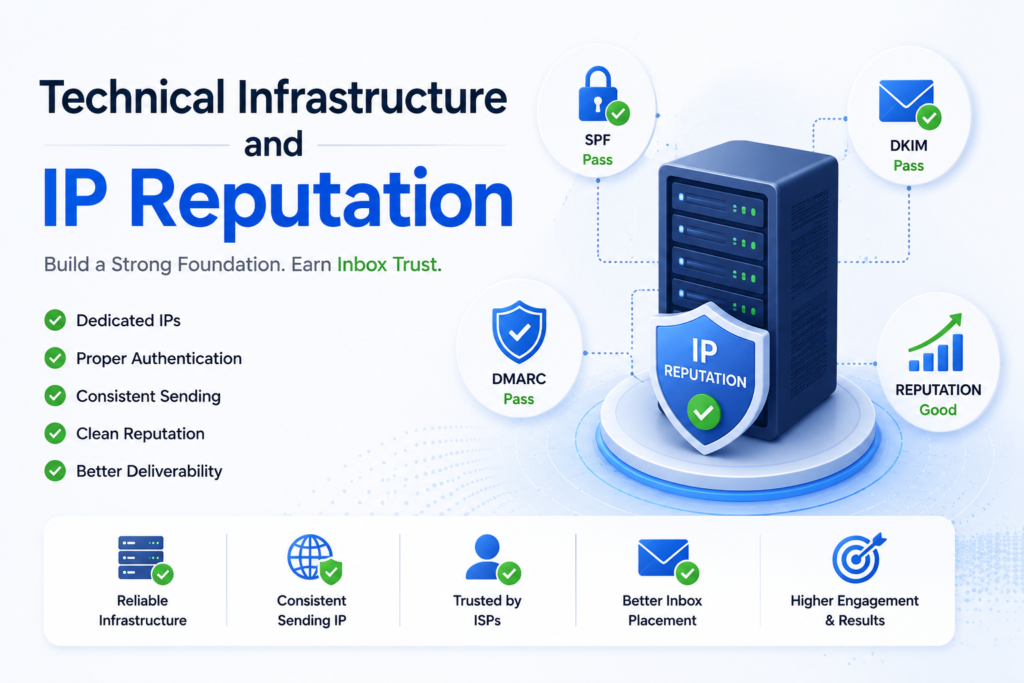
Your email deliverability success depends heavily on the technical foundation of your sending environment. While many marketers consider changing esps when they face delivery issues, the root cause often lies in how your infrastructure is configured. Establishing a stable technical setup allows you to maintain control over your sender identity and inbox placement.
Evaluating Shared Versus Dedicated IP Addresses
Choosing between a shared and a dedicated IP address is a pivotal decision for your email program. A shared IP is often the default for smaller senders, as it allows you to leverage the established reputation of the provider. However, your deliverability can be impacted by the poor sending habits of other users on that same IP.
Conversely, a dedicated IP gives you full control over your reputation. This is ideal for high-volume senders who maintain consistent, healthy engagement. If you are currently changing esps, evaluate your volume to determine if you have enough traffic to warm up and sustain a dedicated IP address effectively.
| Feature | Shared IP | Dedicated IP |
|---|---|---|
| Cost | Low/Included | Higher |
| Reputation Control | Limited | Full |
| Volume Requirement | Low to Medium | High/Consistent |
| Setup Effort | Minimal | High (Warm-up required) |
Checking Your IP Against Blacklists
Monitoring your IP address for blacklisting is a vital part of your routine maintenance. If your IP ends up on a blocklist, your emails will likely be rejected or sent directly to the spam folder. You should use reputable tools like MXToolbox or SenderScore to perform regular checks. Regular blacklist monitoring is essential for anyone learning how to improve email deliverability.
If you discover your IP is listed, investigate the cause immediately. Often, this happens due to a sudden spike in spam complaints or high bounce rates. Taking swift action to resolve the underlying issue is far more effective than simply changing esps to escape the problem.
Managing Your Domain Reputation
Your domain reputation is arguably more important than your IP reputation in the modern email landscape. ISPs track how users interact with emails sent from your domain, regardless of the IP address used. You must prioritize high engagement and low complaint rates to keep your domain in good standing.
Always ensure your authentication protocols are correctly aligned with your domain. By maintaining a clean list and sending relevant content, you protect your domain from being flagged by major inbox providers. A healthy domain reputation ensures that your messages remain trusted by filters, even if you decide to migrate your services in the future. Protecting your domain reputation is central to how to improve email deliverability.
The Impact of Authentication and Compliance
Building trust with your audience starts with a firm commitment to transparency and legal compliance. When you align your practices with global standards, you protect your business from legal risks while simultaneously boosting your sender reputation. Implementing these essential email deliverability tips ensures that your messages reach the inbox rather than the junk folder.
Adhering to CAN-SPAM and GDPR Regulations
The United States CAN-SPAM Act and the European Union’s GDPR set the gold standard for professional communication. These regulations require you to be honest about your identity and your intentions. Transparency is your greatest asset when navigating these legal frameworks.
Failure to comply can lead to significant fines and permanent damage to your domain reputation. Always ensure that your physical mailing address is included in every message. By respecting these boundaries, you demonstrate that your brand is a legitimate and responsible sender.
“Compliance is not a hurdle to overcome; it is the foundation upon which long-term customer relationships are built.”
Ensuring Clear Unsubscribe Mechanisms
One of the most effective email deliverability tips is to make the exit process as simple as the entry process. If a user cannot find your unsubscribe link, they are far more likely to mark your message as spam. This negative action signals to ISPs that your content is unwanted.
Place your unsubscribe link in a visible location, typically in the footer of your email. A frictionless opt-out process actually preserves your reputation by removing uninterested subscribers before they become a source of complaints. Always honor these requests promptly to maintain high engagement rates. A transparent unsubscribe process contributes significantly to how to improve email deliverability.
Maintaining Consistent From Addresses
Your “From” address acts as a digital handshake for your subscribers. When you change your sender name or email address frequently, you confuse your audience and trigger security filters. Consistency helps your recipients recognize your brand instantly, which encourages higher open rates.
Use a professional, recognizable domain that aligns with your website. Avoid using generic or frequently changing aliases that might look suspicious to automated filters. By keeping your sender identity stable, you build the long-term trust necessary for sustained inbox placement.
Troubleshooting Common Deliverability Roadblocks
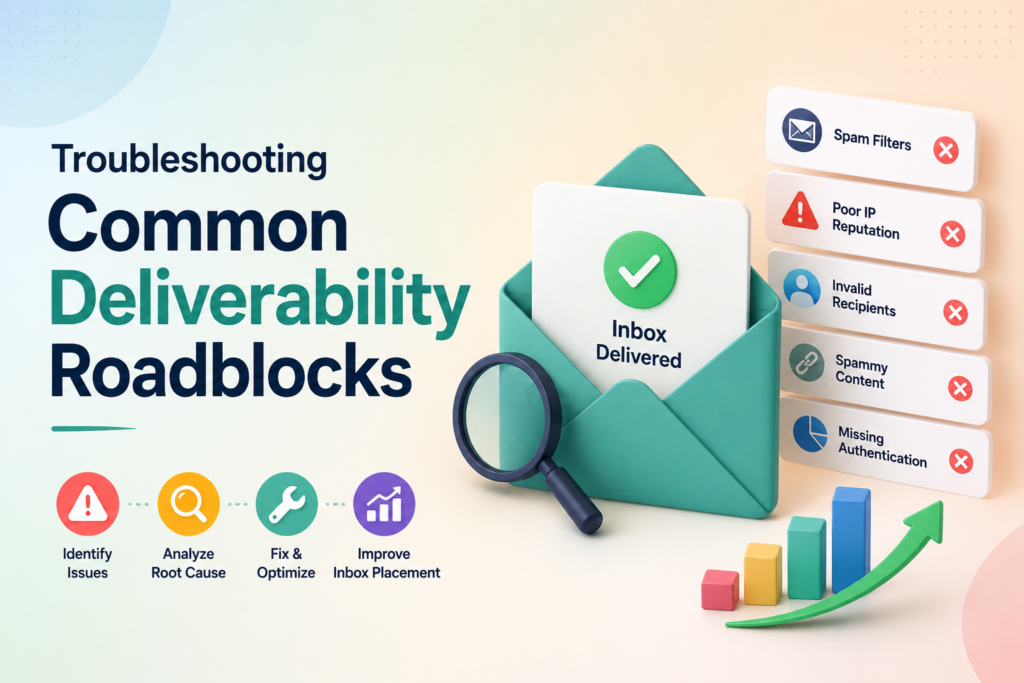
Even the most well-planned email campaigns can occasionally hit a wall, requiring a systematic approach to get back on track. When your messages fail to reach the inbox, you must act quickly to diagnose the root cause. Applying these email deliverability tips will help you maintain a healthy sender reputation and ensure your communications reach your audience.
Analyzing SMTP Error Codes
SMTP error codes are your first line of defense when diagnosing delivery failures. These codes provide specific feedback from the receiving server regarding why a message was rejected or deferred. You should regularly review your server logs to identify patterns in these responses.
Common codes often indicate issues such as authentication failures or rate limiting. By learning to interpret these technical signals, you can pinpoint whether the problem lies with your configuration or the recipient’s security settings. Consistent monitoring of these logs is one of the most effective email deliverability tips for long-term success.
Addressing Issues with Major Inbox Providers
Major inbox providers like Google, Microsoft, and Yahoo maintain strict standards for incoming mail. If you experience sudden blocks, you should consult their specific postmaster tools and support pages. These platforms offer valuable insights into your domain’s reputation and current filtering status.
- Register your domain with Google Postmaster Tools to track reputation.
- Use Microsoft’s Sender Information form if you are blocked by Outlook.
- Review Yahoo’s sender guidelines to ensure compliance with their latest policies.
When to Seek Professional Deliverability Audits
Sometimes, internal troubleshooting is not enough to resolve complex infrastructure problems. If you have exhausted your resources and still face persistent delivery issues, it may be time to hire an expert. A professional audit provides a deep dive into your technical setup, including IP history and authentication alignment.
Professional audits are highly recommended if you are planning a large-scale migration or if your domain has been blacklisted repeatedly. Bringing in an outside perspective can uncover hidden bottlenecks that might be invisible to your internal team. Utilizing these expert email deliverability tips ensures that your infrastructure remains robust and compliant with industry standards.
Ready to Maximize Your Email Performance?
Explore advanced deliverability tools, automate monitoring, and protect your sender reputation with flexible plans built for growing email marketing teams.
Conclusion
Achieving high inbox placement requires a dedicated approach to your digital communication strategy. You possess the tools to optimize your reach without switching your current service provider. Applying these email deliverability tips creates a foundation for long-term success.
Focus your efforts on authentication, list hygiene, and content quality to see immediate improvements. Consistent monitoring of your metrics allows you to pivot when engagement signals shift. These email deliverability tips serve as a roadmap for maintaining a healthy sender reputation across major platforms like Gmail and Outlook.
Commitment to these practices builds trust with internet service providers and your subscribers. You gain the ability to foster stronger customer relationships through reliable messaging. Start implementing these changes today to ensure your brand voice reaches the right audience every time.
Your path to better performance starts with small, deliberate adjustments to your daily workflow. Review your current processes and identify areas where you can tighten your standards. Superior results await those who prioritize quality and consistency in their outreach efforts. Businesses that invest in learning how to improve email deliverability are more likely to achieve long-term email marketing success.
FAQS
Is it possible to learn how to improve email deliverability without changing ESPs?
Yes, you can significantly improve email deliverability by optimizing your existing infrastructure rather than migrating to a new platform. Whether you use MailerRocket, Mailchimp, Klaviyo, or another email service provider, focusing on sender reputation, authentication, and list hygiene can dramatically improve inbox placement without requiring an ESP switch.
What role does my sender reputation play in reaching the primary inbox?
Your sender reputation acts as a digital credit score that Internet Service Providers (ISPs) like Gmail and Outlook use to judge your trustworthiness. If you maintain low bounce rates and minimal spam complaints, these providers are more likely to deliver your messages to the primary inbox rather than the junk folder.
Which authentication protocols are essential for securing my domain?
To protect your brand and improve placement, you must correctly implement SPF (Sender Policy Framework), DKIM (DomainKeys Identified Mail), and DMARC (Domain-based Message Authentication, Reporting, and Conformance). These protocols verify your identity and prevent malicious actors from spoofing your domain, which is one of the most effective email deliverability tips for long-term success.
How does list hygiene affect my ability to reach subscribers?
Maintaining a clean list is vital because high numbers of hard bounces and inactive subscribers signal to ISPs that you are not practicing responsible sending. By implementing a double opt-in process and regularly removing unengaged users, you ensure that your engagement metrics remain high, which strengthens your overall reputation.
What are the most common content triggers that lead to the spam folder?
Spam filters often flag emails with excessive punctuation, all-caps subject lines, or a poor image-to-text ratio. To ensure your content passes through filters at Yahoo or Apple Mail, you should focus on balanced designs, mobile-friendly layouts, and clear, professional copy that avoids “spammy” trigger words.
Why is a consistent sending cadence important for my IP reputation?
Sudden, massive spikes in your sending volume can trigger security alerts and lead to temporary throttling or permanent blocking. By establishing a consistent sending schedule and segmenting your audience through platforms like Salesforce Marketing Cloud, you demonstrate predictable behavior that builds trust with ISP algorithms.
How can I use engagement metrics to identify delivery issues?
Tracking open rates and click-through rates allows you to spot downward trends before they become critical. Additionally, utilizing feedback loops provided by major ISPs helps you identify exactly which subscribers are marking your emails as spam, allowing you to take immediate corrective action.
Should I choose a shared or dedicated IP address for my email program?
The choice depends on your volume. A dedicated IP offers you total control over your reputation but requires a high, consistent volume to stay “warm.” A shared IP is often better for smaller senders who want to leverage the established reputation of a larger pool. Regardless of your choice, you should regularly check your IP against global blacklists.
What legal regulations do I need to follow to remain compliant?
You must strictly adhere to the CAN-SPAM Act in the United States and GDPR in Europe. This includes providing a clear, functional unsubscribe mechanism, including your physical office address, and maintaining a consistent “From” name so your subscribers always recognize your brand.
What should I do if I encounter a sudden drop in deliverability?
Start by analyzing your SMTP error codes to pinpoint the specific reason for the failure. If you find that you are being blocked by a major provider or if your reputation has plummeted, it may be time to seek a professional deliverability audit to identify and resolve deep-seated technical or strategic issues.