





Have you ever spent hours creating the perfect email campaign, only to discover that your emails are landing in spam instead of your subscribers’ inboxes? It is frustrating, especially when your subject line, content, and offer seem perfectly fine.
The problem might not be your email copy at all. Authentication errors, poor sender reputation, outdated contacts, spam complaints, and sudden changes in sending volume can all affect whether your messages reach their intended recipients.
That is why having an email deliverability checklist is essential before launching any email campaign. Instead of waiting for open rates to drop or customers to complain about missing emails, you can identify potential problems before pressing the Send button.
Using an email deliverability checklist helps you look beyond simply sending an email successfully. It is about giving mailbox providers like Gmail, Outlook, and Yahoo enough reasons to trust your messages and deliver them to the appropriate destination.
In this guide, we will walk through 12 practical checks in this email deliverability checklist, covering email authentication, sender reputation, list hygiene, campaign content, unsubscribe functionality, and performance monitoring. Whether you send newsletters, promotional campaigns, or business outreach emails, these steps will help you build a more reliable sending process.
Key Takeaways
- Authenticate your sending domain using SPF, DKIM, and DMARC, and verify that your messages pass the relevant checks.
- Keep your subscriber list clean by removing invalid addresses and suppressing repeated hard bounces.
- Send relevant emails to people who expect to receive them, and make unsubscribing straightforward.
- Test your messages, monitor inbox placement where possible, and investigate unusual delivery results.
- Use an email deliverability checklist before every campaign instead of waiting until delivery problems affect your results.
What Is an Email Deliverability Checklist?
An email deliverability checklist is a practical list of checks that helps you assess whether your emails are technically configured, appropriately targeted, and ready to send.
An email deliverability checklist brings several important tasks together in one place. Rather than checking authentication one week and forgetting about inactive subscribers the next, you follow the same process before each campaign.
It is useful for email marketers, small business owners, SaaS companies, ecommerce teams, agencies, and professionals who rely on email communication.
However, one important distinction matters: email delivery and email deliverability are not the same thing.
Email delivery generally means a receiving mail server accepted your message. Deliverability concerns whether that message reaches the inbox, a promotional tab, spam, or another destination. Acceptance by the receiving server does not guarantee inbox placement.
A reliable email deliverability checklist helps you manage the factors within your control, although no checklist can guarantee inbox placement for every recipient.
1. Verify SPF, DKIM, and DMARC Authentication
Email authentication is one of the first things to check in your email deliverability checklist before sending a campaign. These protocols help receiving mail servers verify whether a message is authorized and whether its domain identity can be trusted.
If authentication is missing or incorrectly configured, your emails may face additional scrutiny or fail authentication checks.
Understand the three authentication protocols
SPF (Sender Policy Framework): SPF identifies which servers are authorized to send email for your domain. It uses a DNS record to publish the permitted sending sources.
DKIM (DomainKeys Identified Mail): DKIM adds a digital signature to an email. Receiving servers can use the published public key to verify the signature and check whether the signed message content has been altered.
DMARC (Domain-based Message Authentication, Reporting, and Conformance): DMARC connects the domain shown in the visible From address with SPF or DKIM authentication. It also lets domain owners publish a policy for handling messages that fail DMARC checks and receive reports when configured.
What should you check?
- Confirm that your SPF record exists and includes your authorized sending services.
- Check that DKIM signing is enabled and signatures pass validation.
- Publish a DMARC record and review its policy and reporting configuration.
- Confirm that the visible From domain aligns with an authenticated SPF or DKIM domain.
- Investigate failures before launching an important campaign.
Avoid adding multiple SPF records for the same domain. Multiple records can cause SPF evaluation problems. If you use several sending providers, work with their documentation or your domain administrator to configure the record correctly.
Gmail’s current sender guidance requires bulk senders sending around 5,000 or more messages per day to personal Gmail accounts to implement SPF, DKIM, and DMARC, along with other requirements. Meeting these requirements is important, but it does not guarantee inbox placement.
A thorough email deliverability checklist should include authentication testing whenever you change a sending provider, domain, or DNS configuration.
2. Check Your Sender and Domain Reputation
As part of your email deliverability checklist, think of your sender reputation as the history mailbox providers can associate with your email traffic. It is influenced by multiple signals, including authentication, recipient complaints, sending patterns, and how people interact with your messages.
There is no single universal reputation score used by every mailbox provider. A healthy-looking result from one tool does not mean every provider will treat your emails identically.
How to review your reputation
Start by reviewing available reporting tools, including Google Postmaster Tools for eligible Gmail traffic. Depending on your provider and sending setup, you may also have access to complaint feedback reports, bounce reports, and domain or IP reputation information.
Look for:
- Unexpected increases in spam complaints.
- Changes in domain or IP reputation indicators.
- Sudden delivery failures at particular providers.
- Unusual spikes in rejected messages.
- Performance changes following a new campaign or sending source.
If reputation deteriorates, avoid immediately increasing your volume in an attempt to recover results. First, investigate the cause, review recipient quality, and correct authentication or sending issues.
A useful email deliverability checklist treats reputation monitoring as an ongoing task rather than a one-time setup step.
3. Clean Your Email List Before Sending
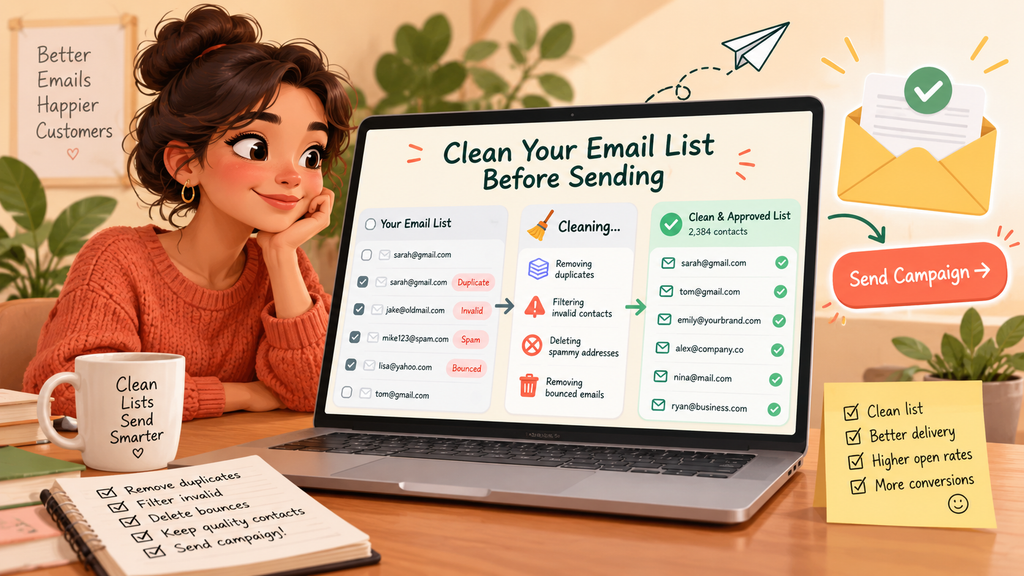
A large subscriber list is not necessarily a healthy subscriber list. If it contains invalid addresses, outdated contacts, or people who never agreed to receive your messages, it can create unnecessary delivery risks.
List hygiene is an essential email deliverability checklist step that helps reduce avoidable failures and ensures that your campaigns reach people who have a legitimate reason to receive them.
Remove invalid and problematic contacts
Review your list for:
- Addresses that repeatedly produce hard bounces.
- Duplicate contacts that create unnecessary repeat sends.
- Known invalid or role-based addresses where your campaign rules exclude them.
- Contacts who have unsubscribed.
- Recipients on your suppression or do-not-contact list.
- Addresses obtained from questionable or unauthorized sources.
A hard bounce usually indicates a permanent delivery failure, such as an address that does not exist. A soft bounce may result from a temporary problem, such as a full mailbox or a server that is temporarily unavailable. Follow your sending provider’s handling rules rather than treating every soft bounce as permanent.
Email verification services can help identify potentially invalid addresses, but they cannot guarantee that an address belongs to an engaged recipient or that sending to it is appropriate.
Do not purchase email lists or send to scraped contacts simply to increase campaign reach. Those practices can generate complaints and damage trust.
As part of your email deliverability checklist, review your list before importing new contacts and after every major acquisition campaign.
4. Confirm Consent and Recipient Expectations
Your email deliverability checklist should account for recipient expectations because people are more likely to engage with messages they recognize and expect. They are also more likely to complain when emails arrive unexpectedly.
Before sending, ask a simple question: Would the recipient reasonably expect this particular message from this particular sender?
Make your subscription process clear
When someone signs up, explain what they are subscribing to and, where practical, how frequently they can expect emails.
For example, a signup form might state that subscribers will receive a weekly product newsletter and occasional announcements. This sets expectations before the first message arrives.
Double opt-in can strengthen the subscription process by asking people to confirm their email address before being added to the active list. It can reduce accidental signups and some automated or fraudulent submissions, although it is not a universal legal requirement.
Also check that:
- Your signup source is documented.
- Consent records are retained where required.
- Unsubscribed contacts are excluded from future promotional campaigns.
- Your sending practices comply with applicable privacy and email marketing laws.
- You do not assume that an old business relationship automatically permits every kind of marketing message.
For cold outreach, applicable rules depend on the recipient’s location, the type of message, and the circumstances. A publicly available business address is not automatically permission to send any email.
A complete email deliverability checklist must consider recipient expectations as well as technical settings.
5. Monitor Bounce Rates and Spam Complaints
Bounce and complaint data can reveal problems that are difficult to spot by looking at campaign design alone.
A bounce means a message was not successfully accepted for delivery. A spam complaint occurs when a recipient reports a message as spam through their mail provider or another reporting mechanism.
Both deserve attention, but they indicate different problems.
What should you investigate?
Hard bounces: Check whether the list contains nonexistent addresses, misspelled domains, or contacts that should have been suppressed.
Soft bounces: Look for temporary server issues, rate limits, mailbox problems, or repeated delivery deferrals.
Spam complaints: Review how recipients joined your list, whether the content matched their expectations, and whether your sending frequency has become excessive.
Calculate your bounce rate by dividing bounced messages by the number of messages attempted, using a consistent definition in your reporting. Complaint rates can be calculated differently by providers, so compare figures only when the underlying measurement is comparable.
For Gmail and Yahoo bulk-sender guidance, a spam complaint rate of 0.3% is an important upper threshold, not a performance target. Gmail advises senders to stay below 0.1% and avoid reaching 0.3%. Lower is better, and even a smaller increase can be a warning sign.
Do not wait until you cross a provider’s threshold before investigating. Your email deliverability checklist should include a review of complaints and bounces after every significant send.
6. Review Your Sending Volume and Frequency
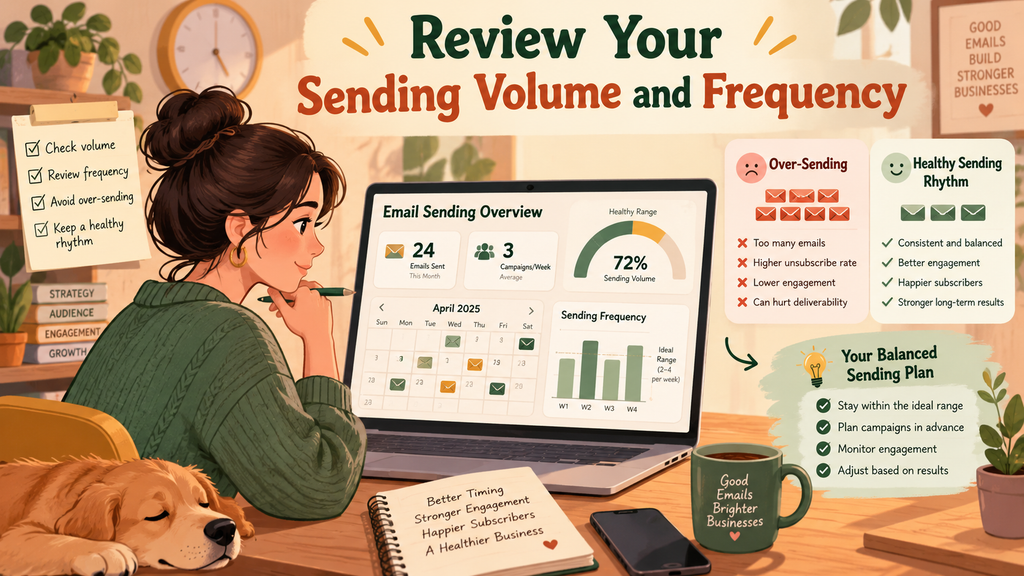
Your email deliverability checklist should cover sending behavior because mailbox providers evaluate it as well as individual messages. A sudden increase in volume, especially from a new or previously quiet domain, can look unusual.
That does not mean every large campaign is harmful. The important factors include your sending history, recipient expectations, infrastructure, engagement, and the consistency of your traffic.
Build a predictable sending pattern
Before launching, consider:
- How much email you normally send.
- Whether your audience expects the planned frequency.
- Whether your sending infrastructure is configured for the campaign volume.
- Whether recent campaigns experienced unusual deferrals or rejections.
- Whether you have changed domains, providers, or sending IPs.
If you are starting with a new sending setup, follow your provider’s onboarding and sending guidance. Gradual increases may be appropriate in some circumstances, but there is no universal warm-up schedule that works for every sender.
For established senders, avoid sudden volume spikes without understanding their technical and reputational implications. If a campaign is unusually large, confirm capacity and monitor results as it progresses.
Do not use artificial engagement or send unwanted messages in an attempt to build reputation. Focus on legitimate recipients and consistent, expected communication.
A practical email deliverability checklist should consider both how many messages you plan to send and how that volume compares with your normal activity.
7. Check Your Email Content, Links, and Formatting
Even when your domain is authenticated and your list is clean, your email deliverability checklist should still include a review of message content.
Mailbox providers use a range of signals to classify email. No individual word, subject line, or image automatically determines whether a message is spam, so avoid relying on simplistic rules such as never using capital letters or promotional language.
Instead, focus on clarity, relevance, and a trustworthy message structure.
Review the message before sending
- Make sure the subject line accurately describes the email.
- Ensure the sender name is recognizable.
- Remove misleading claims and deceptive urgency.
- Confirm that links lead to the destinations described in the message.
- Check that links use secure HTTPS destinations where appropriate.
- Review images, formatting, and mobile readability.
- Remove broken links and unnecessary redirects.
- Confirm that your message is not impersonating another brand.
If your email includes several tracking links, check that they resolve correctly and do not redirect recipients to unexpected destinations. Link reputation can affect how a message is evaluated, so use domains you control and monitor their behavior.
Also ensure that the message has a meaningful text version where appropriate and follows standard email formatting conventions.
The purpose of this step is not to make every email look plain. It is to ensure that the message is understandable, expected, and technically sound.
Include content and link testing in your email deliverability checklist rather than treating proofreading as the only pre-send review.
8. Test Inbox Placement Before the Full Campaign
An email deliverability checklist should include a successful test send, but remember that it does not prove every recipient will receive the final campaign in the inbox.
Inbox placement can vary by provider, recipient account, reputation, filtering decisions, and individual mailbox settings.
How to test effectively
Send a test version to accounts you control across relevant mailbox providers, such as Gmail, Outlook, and Yahoo.
Check:
- Whether the message arrives.
- Whether it appears in the inbox, a promotional tab, or spam.
- Whether images and links display correctly.
- Whether the From address is correct.
- Whether authentication results show SPF, DKIM, and DMARC passing as expected.
- Whether the unsubscribe option works for applicable marketing messages.
For more structured testing, inbox placement services can provide seed-account testing or other diagnostics. These results are useful indicators, but seed accounts do not perfectly represent every real recipient.
If a test email lands in spam, inspect the authentication results, sending history, content, links, and domain reputation before making changes. Repeatedly resending the same message will not necessarily solve the underlying problem.
An email deliverability checklist should distinguish between a message being accepted by a server and a message being placed in the inbox.
9. Make Unsubscribing Easy and Functional
Checking unsubscribe functionality is an important part of an email deliverability checklist; an unsubscribe option is not merely a courtesy. It is an important part of responsible email marketing and a requirement for certain types of senders under mailbox-provider policies and applicable laws.
If people cannot easily stop receiving unwanted messages, they may report them as spam instead.
Check the unsubscribe process
Before sending a promotional campaign, confirm that:
- The unsubscribe link is visible and works.
- Recipients can unsubscribe without unnecessary obstacles.
- The request updates the correct mailing list or suppression system.
- Unsubscribed recipients are excluded from subsequent promotional sends.
- The process does not require the recipient to log in unnecessarily.
- Your email infrastructure supports the required one-click unsubscribe mechanism where applicable.
For Gmail and Yahoo bulk-sender requirements, applicable marketing messages need a functioning one-click unsubscribe method through the relevant email headers, as well as a visible unsubscribe link in the message body. Requests must generally be honored within two days under these requirements.
A body link alone does not satisfy the one-click header requirement.
Transactional messages, such as password resets and order confirmations, are treated differently under these particular bulk-sender rules, although other legal and operational considerations may apply.
Test the complete process, not just the appearance of the link. A button that looks correct but fails to update the suppression list can create serious problems.
Your email deliverability checklist should include an actual unsubscribe test before important campaigns.
10. Separate Marketing and Transactional Email Where Appropriate
Your email deliverability checklist should account for different sending streams because not every email serves the same purpose.
Marketing emails promote products, share newsletters, or encourage engagement. Transactional emails communicate information related to a specific user action, such as a password reset, account notification, or order confirmation.
Combining every message type into one undifferentiated sending stream can make troubleshooting and reputation management more difficult.
Organize your sending setup
Where your infrastructure supports it, consider separating marketing and transactional email by sending stream, subdomain, or other appropriate configuration.
For example:
news.example.comcould be used for newsletters.notify.example.comcould be used for account notifications.
These are illustrative examples, not mandatory configurations. The right approach depends on your infrastructure and provider.
Separate streams can make it easier to monitor performance and identify which type of traffic is experiencing problems. However, separate subdomains do not guarantee complete reputation isolation. Mailbox providers may associate related domains and evaluate other signals.
Keep authentication, suppression rules, and operational monitoring consistent across all streams.
If transactional emails suddenly stop arriving, you should be able to investigate them without confusing the problem with a marketing campaign sent at the same time.
This organizational check makes your email deliverability checklist more useful as your email operation grows.
11. Review Your Technical Setup and Sending Infrastructure
Email infrastructure includes more than authentication records. The receiving server also evaluates whether messages follow expected technical standards and whether the sending environment behaves reliably.
Some checks depend on your email service provider, while others may require assistance from whoever manages your domain or mail servers.
Technical checks worth completing
DNS configuration: Confirm that the relevant DNS records are published correctly and have propagated.
Sending IP configuration: If you operate your own sending IPs, verify that the required forward and reverse DNS records are valid. With a managed email service, ask the provider which infrastructure settings it manages and which remain your responsibility.
TLS encryption: Confirm that your sending setup supports encrypted transport as required by the providers you use.
Message formatting: Check that messages follow standard email formatting conventions, including valid headers and appropriate MIME structure for multipart messages.
Sending domain: Verify that your From address, DKIM signing domain, and relevant authentication configuration match your intended setup.
Provider configuration: Review sending limits, domain verification, API credentials, and account status.
Do not make DNS changes based on guesswork. Incorrect edits can break authentication or affect other email services using the same domain. If you are uncertain, consult your administrator or sending provider.
Gmail’s sender guidance includes requirements related to authentication, DNS, TLS, and message format. The exact requirements that apply depend on the type and volume of email you send.
A complete email deliverability checklist should be reviewed whenever your provider, domain, infrastructure, or sending configuration changes.
12. Monitor Campaign Results and Keep Improving
Your checks should not stop when you press Send. Post-campaign monitoring helps you identify problems early and learn what needs to change before the next campaign.
A campaign can appear successful in one report while experiencing problems with a particular provider or recipient segment. That is why reviewing several indicators together is more useful than relying on one metric.
Monitor these key metrics
| Metric | What it tells you | What to investigate |
|---|---|---|
| Delivery and rejection results | Whether receiving systems accepted messages | Authentication failures, provider restrictions, and sending errors |
| Hard bounce rate | How often messages fail permanently | Invalid addresses and list quality |
| Soft bounce rate | How often temporary failures occur | Deferrals, mailbox issues, and server responses |
| Spam complaint rate | How often recipients report unwanted email | Relevance, consent, frequency, and unsubscribe usability |
| Unsubscribe rate | How often recipients opt out | Content expectations, segmentation, and frequency |
| Click rate | How recipients interact with links | Relevance, content, and audience targeting |
| Inbox placement tests | Where test messages appear | Provider-specific filtering and configuration issues |
Open rates can be useful in context, but privacy features and image-loading behavior can make them an imperfect measure of human engagement. Do not use open rates alone to judge deliverability.
When a metric changes unexpectedly, compare the campaign with previous sends, examine provider-level results, and investigate the affected audience segment.
Record what you changed and whether the next campaign improved. Over time, this creates a practical history of what works for your particular sending environment.
The final step of an email deliverability checklist is turning results into improvements rather than repeating the same process without learning from it.
How MailerRocket Can Fit Into Your Deliverability Workflow
You do not necessarily need a complicated collection of tools to build a repeatable campaign process. What matters is having a clear workflow, accurate reporting, and the ability to identify issues before they become recurring problems.
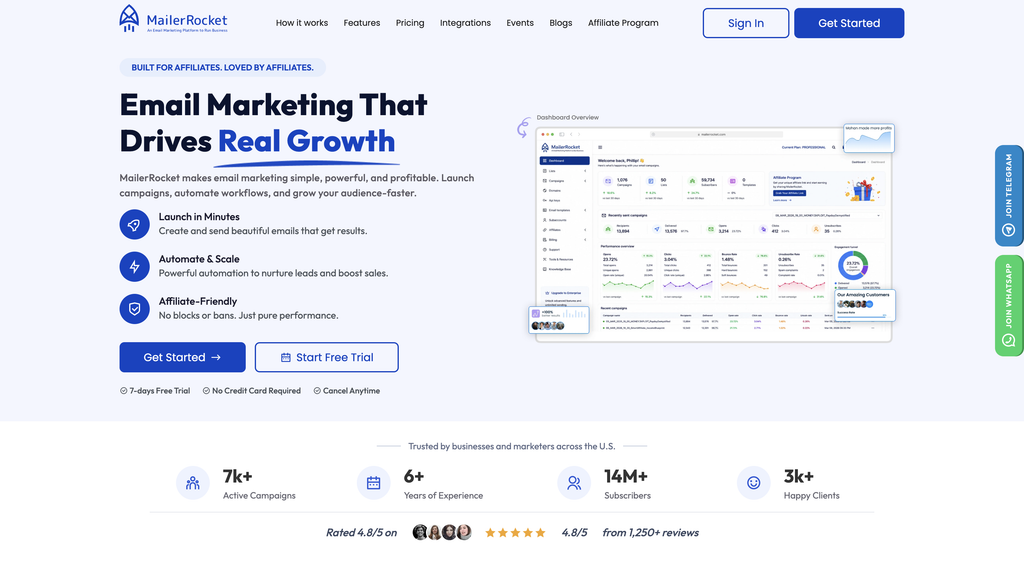
MailerRocket provides email marketing features that can support several parts of this workflow.
According to the MailerRocket website, the platform lists email list management, subscriber segmentation, campaign scheduling, autoresponders, domain authentication, branded links, and campaign tracking among its features.
Here is how these capabilities can fit into the process:
- Email list management: Organize subscribers, import or export contacts, and maintain more structured mailing lists.
- Subscriber segmentation: Send relevant messages to appropriate groups rather than treating every contact as the same audience.
- Campaign scheduling: Plan regular or recurring campaigns and manage sending schedules.
- Domain authentication: Configure the authentication features available through the platform and verify the resulting DNS and message-level checks.
- Branded links: Use branded campaign links where supported, then test the destinations and monitor their performance.
- Campaign reporting: Review available campaign results and use them to guide future improvements.
MailerRocket also lists an email blacklist feature for campaigns. Its practical usefulness depends on how your account and suppression settings are configured, so confirm that unsubscribed contacts, invalid recipients, and other excluded addresses are handled correctly.
These features can help organize campaign operations, but they do not replace good list practices, domain ownership, accurate DNS configuration, or ongoing monitoring.
If you use MailerRocket, you can incorporate its available list and campaign management features into your regular pre-send routine. Start by reviewing your sending configuration, checking the recipient segment, testing the message, and reviewing results after sending.
You can explore the platform at MailerRocket.com and assess whether its available features match your team’s workflow.
Email Deliverability Checklist for Different Campaign Types
The core principles are similar across email types, but the details of your checks should reflect the purpose of the message.
For newsletters and promotional campaigns
Prioritize consent, audience segmentation, authentication, unsubscribe functionality, content relevance, and complaint monitoring.
For cold outreach
A cold email deliverability checklist should begin with the legality and appropriateness of the outreach, accurate recipient research, relevant messaging, domain authentication, and careful monitoring. Do not send bulk unsolicited messages or assume that a technically valid email address grants permission to contact someone.
For transactional messages
Check authentication, delivery errors, message formatting, infrastructure reliability, and whether the email is triggered correctly by the intended user action. Keep transactional content focused on the relevant transaction.
For automated email sequences
Test the complete sequence, including triggers, timing, links, suppression rules, and what happens when a person unsubscribes or changes their preferences.
A checklist for email deliverability best practices should adapt to the message type while maintaining consistent technical and compliance standards.
Email Deliverability Updates 2026: What Should Senders Keep in Mind?
Email providers can update their policies and enforcement practices, so review official sender guidance regularly rather than relying on an old article or a checklist that never changes.
For 2026, a sensible approach is to continue monitoring the established requirements around authentication, complaint rates, unsubscribe functionality, and correct technical configuration.
Google’s sender guidance says enforcement against non-compliant traffic has been ramping up since November 2025. Its bulk-sender requirements include SPF, DKIM, DMARC, domain alignment, one-click unsubscribe for applicable marketing messages, and keeping spam complaint rates below the relevant threshold.
Yahoo also publishes sender requirements and recommendations covering authentication, complaints, opt-in practices, unsubscribe handling, and sending reputation.
You can review the official guidance here:
These are useful references for email marketing deliverability updates 2026, but they should not be treated as an exhaustive list of every provider’s rules or every country’s legal requirements.
Revisit the guidance when you change providers, increase sending volume, launch new email types, or notice a change in delivery results.
Common Email Deliverability Problems and How to Troubleshoot Them
Even when you follow the process carefully, problems can occur. The important thing is to identify the likely cause before making several changes at once.
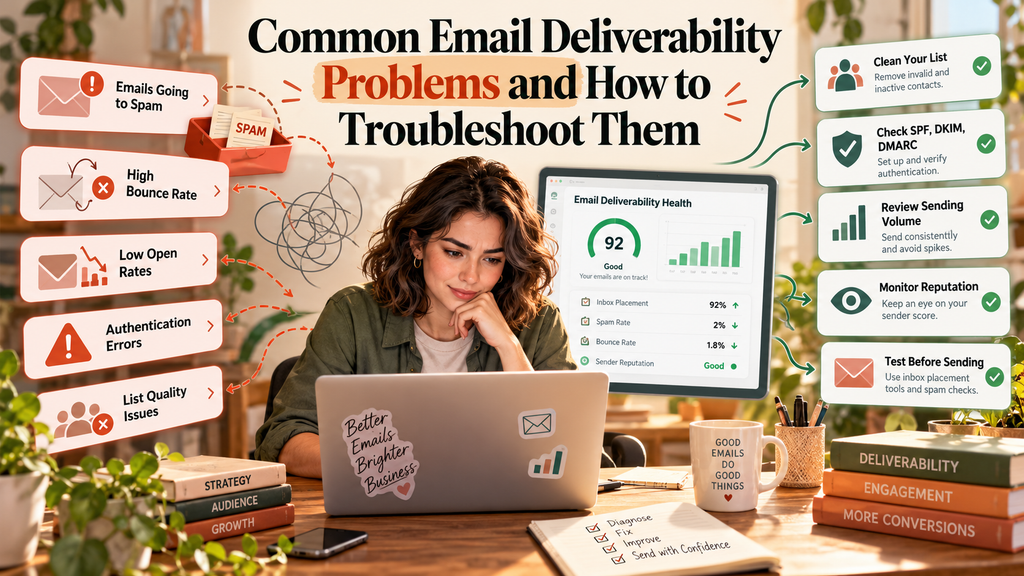
Problem 1: Emails are landing in spam
Check authentication results, complaint history, domain reputation indicators, recipient expectations, and message links. Compare inbox placement across providers instead of assuming that every mailbox is filtering the same way.
Problem 2: Emails are being rejected
Read the bounce or SMTP response where available. It may point to an invalid recipient, authentication failure, rate limit, policy restriction, or another server-side issue.
Problem 3: Bounce rates have increased
Review recently imported contacts, remove addresses that produce hard bounces, and investigate recurring soft bounces. Do not continue retrying permanent failures.
Problem 4: Engagement has dropped
Check whether the audience is still interested in the content, whether the campaign frequency changed, and whether delivery performance differs by provider. Remember that opens are not a perfect measure of engagement.
Problem 5: Authentication suddenly fails
Review recent DNS changes, signing configuration, sending-provider changes, and domain alignment. Avoid publishing duplicate or conflicting DNS records.
Problem 6: Unsubscribe requests are not being processed
Test the unsubscribe link and relevant headers, verify that the suppression system is updating correctly, and stop promotional sends to contacts who have opted out.
When investigating email deliverability problems, change one relevant factor at a time where possible and compare the results. This makes it easier to identify the cause rather than introducing additional uncertainty.
Conclusion
Reliable email delivery begins before a campaign is sent. Authentication, recipient quality, sender reputation, message relevance, unsubscribe functionality, and post-send monitoring all contribute to a more responsible and consistent email operation.
The most useful approach is to make your email deliverability checklist part of your normal campaign routine, not something you consult only after results decline. Start with the highest-impact checks, document problems, and investigate unusual changes before increasing volume or repeating a problematic send.
For teams managing regular campaigns, a platform such as MailerRocket can help organize lists, segments, scheduling, and campaign reporting within that workflow. The key is to combine the available tools with sound sending practices and regular verification.
You cannot control every mailbox provider’s filtering decision. You can, however, control how carefully you configure your sending domain, manage your audience, test your campaigns, and respond to delivery signals.
Use this checklist before your next send, save it for future campaigns, and update it whenever your email setup or provider requirements change. Small, consistent checks can help prevent avoidable mistakes and make your email program easier to manage over time.
FAQs
1. What is an email deliverability checklist?
An email deliverability checklist is a set of steps used to check whether an email campaign is ready to send. It typically covers authentication, sender reputation, list hygiene, message content, unsubscribe functionality, inbox placement testing, and performance monitoring.
2. How can I improve email deliverability before sending a campaign?
Start by verifying SPF, DKIM, and DMARC. Clean your mailing list, confirm that recipients expect your messages, check bounce and complaint history, test links and formatting, and verify unsubscribe functionality. Monitor results after sending so you can investigate problems early.
3. Are SPF, DKIM, and DMARC all necessary?
They serve different purposes and work together. SPF identifies authorized sending sources, DKIM verifies a digital signature, and DMARC checks alignment with the visible From domain and specifies a policy for failed authentication. Gmail requires all three for bulk senders covered by its requirements.
4. How often should I use an email deliverability checklist?
Use it before every significant campaign, especially when sending to a new segment or making changes to your sending setup. You should also monitor results after sending and revisit technical checks whenever you change providers, domains, or DNS records.
5. What is a good email spam complaint rate?
Lower is better. Gmail advises senders to keep their reported spam rate below 0.1% and avoid reaching 0.3%. Yahoo also specifies a 0.3% threshold in its sender guidance. These are important limits, not targets to aim for, and measurement methods may vary between providers.
6. Does email verification guarantee better deliverability?
No. Email verification can help identify invalid or potentially risky addresses, but it cannot guarantee inbox placement, recipient engagement, consent, or a good sender reputation. Use verification alongside suppression management and responsible list acquisition practices.
7. What should a cold email deliverability checklist include?
A cold email deliverability checklist should cover applicable legal requirements, relevant and appropriate recipient selection, domain authentication, accurate sender identity, valid contact data, carefully managed sending volume, useful personalized content, and monitoring for complaints and rejections. Technical compliance does not make unsolicited outreach automatically lawful or welcome.
8. Why are my emails going to spam even though SPF and DKIM pass?
Authentication is only one part of the filtering decision. Recipient complaints, sending reputation, content, links, sending behavior, and individual mailbox settings can also affect placement. Review DMARC alignment, test inbox placement, and compare results across providers.
9. What email deliverability updates should I monitor in 2026?
Review current Gmail and Yahoo sender guidance for authentication, domain alignment, spam complaints, unsubscribe functionality, and technical requirements. Also monitor changes announced by your own email service provider and applicable privacy or marketing laws. Official provider documentation is more reliable than assuming every rule applies equally to all senders.
10. Can MailerRocket help with email deliverability?
MailerRocket lists features including email list management, segmentation, campaign scheduling, domain authentication, branded links, and campaign tracking. These can support a structured sending workflow. Results still depend on correct configuration, recipient quality, sender reputation, message relevance, and mailbox-provider decisions. Review the platform’s current features at MailerRocket.com.