
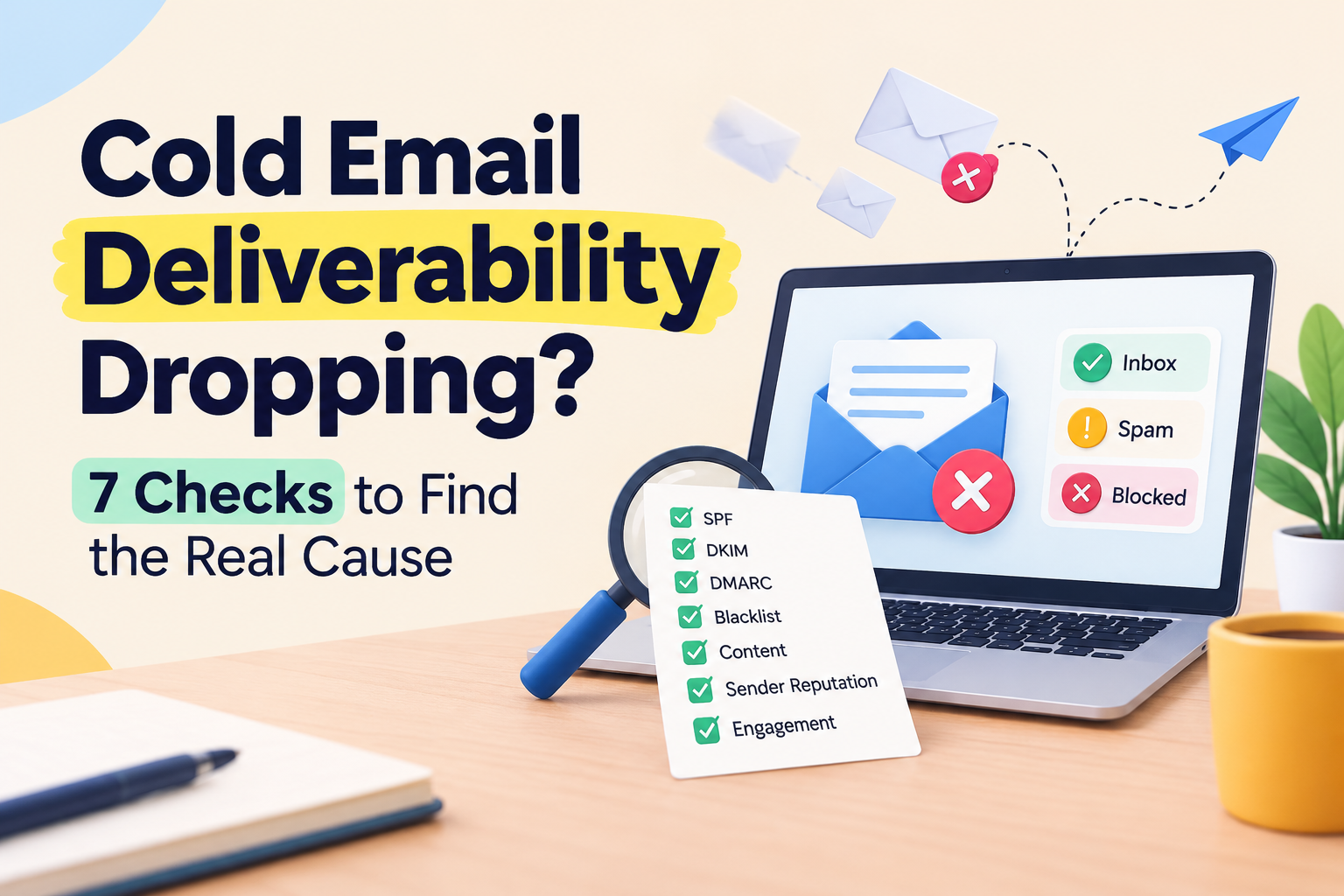





Did you know that nearly 85% of outreach messages fail to reach the primary inbox? When your engagement metrics plummet, the instinct is often to rewrite your entire pitch or slash your sending volume. However, acting on impulse can often mask the true technical issues hindering your success.
Before you overhaul your strategy, you must diagnose the root cause of your performance slump. Identifying the specific failure point saves you time and prevents unnecessary damage to your sender reputation.
This guide provides a practical sequence to audit your infrastructure, authentication, and data quality to improve cold email deliverability. By following these seven checks, you can restore your cold email deliverability and ensure your message reaches the right audience. Let’s look at how to systematically troubleshoot your outreach campaigns.
Key Takeaways
- Avoid changing your messaging until you have verified your technical setup.
- Prioritize authentication protocols like SPF, DKIM, and DMARC to build trust.
- Regularly scrub your contact lists to maintain high engagement rates.
- Monitor your domain reputation to prevent blacklisting by major providers.
- Use a structured diagnostic approach to isolate specific campaign bottlenecks.
Find Out What’s Hurting Your Email Deliverability
Stop guessing why your cold emails miss the inbox. Explore MailerRocket’s tools to streamline outreach, monitor campaigns, and build a more reliable sending process.
Audit Your Cold Email Deliverability Before Changing Your Campaign
Before you overhaul your entire email strategy, you must first determine if your technical foundation is the real culprit. Many marketers rush to rewrite their subject lines when engagement drops, but this often ignores the underlying health of their sending infrastructure. A structured audit is the only way to protect your cold email deliverability and ensure your messages reach the inbox.
Separate Inbox Placement From Open Rates, Clicks, and Replies
It is vital to distinguish between technical delivery and audience interest. If your emails are landing in the spam folder, your prospects will never see your content, regardless of how compelling your copy is.
Low open rates often signal a delivery failure rather than a lack of interest. By isolating these metrics, you can identify if the problem is a technical block or simply a need for better personalization.
Compare Recent Performance With Your Normal Baseline
To understand if your current results are truly abnormal, you must look at your historical data. Every sender has a unique rhythm, and comparing your current stats against your established baseline is essential for maintaining consistent cold email deliverability united states standards.
Look for sudden shifts in bounce rates or engagement patterns that deviate from your typical performance. If your metrics have been declining gradually over months, the issue might be domain reputation. However, a sharp, overnight drop usually points to a specific technical configuration error.
Use the Seven Checks to Diagnose the Specific Failure Point
Rather than guessing, you should follow a systematic diagnostic process to find the root cause. Treating every performance dip as a copy problem will lead to wasted time and further frustration.
By applying a rigorous set of checks, you can pinpoint exactly where your process is breaking down. This structured approach allows you to fix the specific failure point, whether it involves authentication, lead quality, or infrastructure, ensuring your campaigns remain effective and compliant.
1. Check Your SPF, DKIM, DMARC, and Sending-Domain Authentication
Technical authentication is the silent gatekeeper of your outreach success and plays a crucial role in maintaining cold email deliverability. When you send messages, mailbox providers look for specific digital signatures to verify your identity. If these protocols are missing or misconfigured, your cold email deliverability will suffer immediately.
Confirm That SPF Authorizes Every Sending Platform
The Sender Policy Framework (SPF) is a DNS record that lists the IP addresses and services authorized to send mail on your behalf. You must ensure that every platform you use is explicitly included in this record.
If you use multiple tools for outreach, failing to update your SPF record can cause legitimate emails to be flagged as spoofing attempts. Always audit your DNS settings to ensure your current sending infrastructure matches your published policy.
Verify DKIM Alignment for Your From Domain
DomainKeys Identified Mail (DKIM) adds a cryptographic signature to your emails, proving that the content has not been tampered with during transit. For the best results, your DKIM signature must align with the domain found in your “From” header.
Alignment ensures that the receiving server trusts the origin of the message. Proper alignment is a non-negotiable requirement for maintaining a healthy sender reputation in today’s competitive landscape.
Set a DMARC Policy That Supports Authentication and Monitoring
DMARC ties SPF and DKIM together by providing instructions to receiving servers on how to handle messages that fail authentication. Implementing a policy is essential for protecting your domain from unauthorized use.
“Authentication is not just a technical hurdle; it is the bedrock of trust between your domain and the recipient’s inbox.”
Start with a “p=none” policy to monitor your traffic without impacting your cold email deliverability. This allows you to gather data on who is sending mail as you before you move to stricter enforcement.
Meet Gmail and Yahoo Authentication Requirements for Bulk and Cold Senders
Major providers like Gmail and Yahoo have tightened their requirements to combat spam. They now mandate that senders implement SPF, DKIM, and DMARC to ensure their traffic is legitimate.
- Maintain a spam complaint rate below 0.3%.
- Ensure your domain has valid forward and reverse DNS records.
- Use a DMARC policy of at least “p=none.”
Review DMARC Reports Without Blocking Legitimate Outreach
DMARC reports provide deep visibility into your email ecosystem. By analyzing these XML files, you can identify legitimate services that you may have forgotten to authorize.
Avoid jumping straight to a “p=reject” policy, as this can inadvertently block your own outreach. Use the monitoring phase to refine your configuration, ensuring that your cold email deliverability remains stable while you tighten your security posture.
2. Check Whether Your Domain or IP Reputation Has Declined
Your domain and IP reputation act as a digital credit score that determines whether your emails reach the inbox. Even when your technical authentication is perfectly configured, your cold email deliverability can plummet if mailbox providers view your sending identity as untrustworthy.
Reputation is a cumulative metric based on how recipients interact with your messages over time, directly influencing your cold email deliverability. If you ignore these signals, you risk permanent blacklisting regardless of your technical setup.
Look for Reputation Signals in Google Postmaster Tools
Google Postmaster Tools provides essential data regarding how Gmail perceives your domain. You should monitor your domain reputation and IP reputation dashboards regularly to spot sudden drops.
High spam rates or a low reputation score in these tools are clear indicators that your current strategy is failing. Use this data to identify if your domain is flagged as a source of unsolicited mail.
Check Microsoft SNDS, Spamhaus, and Other Reputation Sources
Beyond Google, you must verify your standing with other major providers using Microsoft’s Smart Network Data Services (SNDS). This platform helps you see if your IP addresses are blocked or throttled by Outlook and Hotmail.
Additionally, check your domain against public blacklists like Spamhaus. Being listed on these databases is a major red flag that requires immediate remediation to restore your sender status.
Identify Sudden Changes in Domain Age, IP History, or Sending Identity
Mailbox providers are naturally suspicious of brand-new domains or IPs with no established history. If you recently switched your infrastructure, your lack of a “warm” history might be triggering spam filters.
Sudden changes in your sending identity, such as altering your From name or domain structure, can also disrupt your established reputation. Always maintain consistency to ensure that providers recognize your traffic as legitimate.
Use Cold Email Domain Warming to Build Trust Gradually
Cold email domain warming is the process of slowly increasing your daily volume to signal to providers that you are a human sender. This practice builds a positive history of engagement, which is one of the most important deliverability best practices for improving cold email deliverability.
By starting with a small number of emails and gradually scaling up, you allow providers to categorize your domain as a safe sender. This gradual approach is far more effective than launching a massive campaign on a fresh domain.
Why Inbox Rotation Cannot Repair a Poor-Reputation Domain
Many senders mistakenly believe that inbox rotation can mask a damaged reputation by spreading volume across multiple accounts. However, rotation does not fix the underlying issue of a tainted domain or IP address.
If your primary domain is already flagged for spam, rotating through different inboxes will not hide your identity from sophisticated filters. You must address the root cause of your reputation decline rather than trying to bypass filters with technical workarounds.
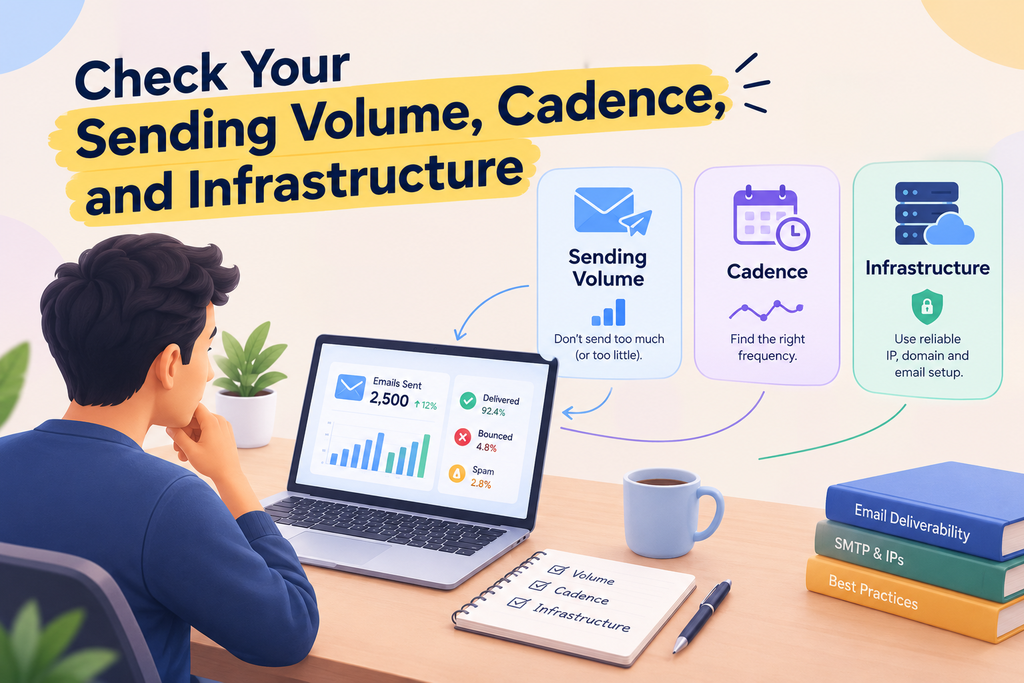
3. Check Your Sending Volume, Cadence, and Infrastructure
If your cold email deliverability is suffering, look closely at your sending cadence and infrastructure. Many senders mistakenly believe that increasing volume will lead to more leads, but this often backfires by triggering spam filters. Your goal should be to maintain a steady, predictable rhythm that mimics human behavior and supports consistent cold email deliverability.
Compare Daily Volume With Your Domain’s Established Sending Pattern
Avoid applying arbitrary volume targets that ignore your domain’s history. Instead, analyze your historical data to determine what your domain can handle comfortably. Consistency is the key to building a positive reputation with major mailbox providers.
If you typically send 50 emails a day, jumping to 500 overnight is a major red flag. Always scale your outreach gradually to ensure that your domain remains in good standing.
Remove Sudden Spikes, Identical Bursts, and Irregular Timing
Spam filters are highly sensitive to patterns that look automated. Sudden spikes in volume or sending emails in identical, rapid-fire bursts will almost certainly land your messages in the junk folder.
“The most successful email campaigns are those that prioritize quality and consistency over sheer volume.”
Ensure your sending schedule includes natural gaps and varied timing. This approach helps you avoid the “robotic” footprint that often leads to blacklisting.
Evaluate Whether Multiple Mailboxes Share One Domain
Using multiple mailboxes on a single domain can be a double-edged sword. While it allows for more outreach, it also concentrates your risk if one mailbox is flagged for spam.
- Monitor the health of every mailbox on your domain.
- Ensure that no single mailbox is sending an excessive amount of mail.
- Consolidate your efforts to keep your domain reputation stable.
Use Inbox Rotation Carefully Without Hiding Excessive Volume
Implementing cold email domain warming inbox rotation deliverability best practices requires transparency. Some users attempt to hide high volumes by rotating through many inboxes, but this rarely works if the underlying domain reputation is poor.
Focus on the quality of your engagement rather than trying to bypass limits. If you are sending too much, no amount of rotation will save your domain from being flagged.
Choose a Cold Email Outreach Tool With Sending Limits and Monitoring
The right cold email outreach tool should act as a guardrail for your campaigns. Look for platforms that offer built-in sending limits and real-time monitoring features.
A high-quality cold email outreach tool will prevent you from accidentally exceeding your daily capacity. By using these features, you protect your domain and ensure your messages reach the primary inbox consistently.
4. Check Whether Bad Lead Data Is Ruining Cold Email Deliverability
If your messages are failing to reach the inbox, the culprit is often hiding in your database. You might ask, can bad lead data ruin cold email deliverability? The answer is a definitive yes, as high bounce rates and low engagement signal to mailbox providers that your content is unwanted.
When you send to invalid or inactive addresses, your sender reputation suffers immediately, negatively affecting cold email deliverability. This damage makes it difficult to maintain consistent cold email deliverability over time.
Ready to Make Your Cold Email Workflow Simpler?
Keep your outreach organized and your campaigns easier to manage. Visit MailerRocket to explore features designed to support efficient cold emailing and smarter campaign workflows.
Measure Hard Bounces, Soft Bounces, and Catch-All Addresses
You must categorize your bounce data to understand the health of your list. Hard bounces indicate permanent delivery failures, while soft bounces suggest temporary issues like full inboxes.
Catch-all addresses are particularly risky because they accept all mail sent to a domain. These addresses often mask invalid accounts and can lead to unexpected bounce spikes during your campaign.
Verify Addresses Before They Enter Your Cold Email Marketing Campaign
Never send to a list without running it through a professional verification tool first. Verification services identify syntax errors, inactive domains, and known spam traps before you hit the send button.
By cleaning your list beforehand, you protect your domain reputation. This proactive step ensures that your messages reach real people who are more likely to engage with your content.
Use Reliable Sources When Learning How to Find Emails for Cold Emailing
The quality of your outreach starts with your data acquisition strategy. When learning how to find emails for cold emailing, prioritize platforms that offer real-time verification and transparent sourcing.
Avoid purchasing cheap, bulk lists from unverified providers. These lists are often filled with outdated information that will trigger spam filters and ruin your sending identity.
Remove Role-Based, Disposable, Stale, and Unengaged Contacts
Role-based addresses like “info@” or “support@” are rarely monitored by individuals and often lead to high complaint rates. Similarly, disposable email addresses are used for temporary access and should be purged from your database.
You should also remove contacts who have not engaged with your emails for an extended period. Keeping stale contacts on your list only increases the risk of hitting spam traps.
Set Bounce-Rate Thresholds That Trigger List Suppression
Establish strict internal rules for when to stop sending to a specific segment. If your bounce rate exceeds 2% to 3% for a single campaign, pause your sending immediately.
Use these thresholds to trigger automatic suppression of problematic contacts. By maintaining a clean and active list, you ensure that your outreach remains effective and compliant with modern inbox standards.
5. Check Your Message Relevance, Personalization, and Length
If your emails are landing in the spam folder, the problem might be hidden in your copy. While technical authentication is vital, the actual content of your message plays a massive role in cold email deliverability. Mailbox providers analyze how recipients interact with your messages to determine if you are a trusted sender.
insta
Match Cold Email Personalization to Verifiable Prospect Details
Effective cold email personalization goes beyond simply inserting a first name into a template. You should leverage specific, verifiable data points such as a prospect’s recent company news, job title, or industry-specific challenges. This demonstrates that you have done your research and are not just blasting a generic list, helping support better engagement and cold email deliverability.
Explain How Generic Copy Can Reduce Positive Engagement
Generic copy is a major red flag for both recipients and spam filters. When your cold email marketing efforts rely on vague templates, recipients are more likely to mark your messages as spam. This negative engagement signals to providers that your content lacks value, which ultimately harms your sender reputation.
Answer the Question “How Long Should a Cold Email Be?”
Many senders struggle with the length of their outreach. You might wonder, how long should a cold email be? The most successful messages are typically between 50 and 150 words. Keeping your text concise respects the recipient’s time and increases the likelihood that they will read your entire message.
Remove Spam-Like Claims, Excessive Links, and Misleading Subject Lines
Avoid using aggressive sales language or “spammy” triggers that cause filters to block your messages. Excessive links and misleading subject lines are common triggers that destroy your cold email deliverability. Ensure your subject line accurately reflects the content of your email to build trust from the first interaction.
Balance Helpful Calls to Action With a Low-Pressure Sales Message
Your call to action (CTA) should be clear, helpful, and low-pressure. Instead of demanding a meeting, offer a resource or ask a simple question that invites a natural conversation. This approach improves your cold email marketing results by fostering genuine connections rather than forcing a sale.
6. Check Your Links, Tracking, Headers, and Compliance Signals
If you want to improve your cold email deliverability in the United States, you must audit your technical compliance signals. Mailbox providers analyze every element of your message to determine if you are a legitimate sender or a source of unwanted noise. Small technical details in your message headers and link structures often serve as the deciding factor for inbox placement.
Inspect Branded Tracking Domains and Redirect Chains
Many senders use generic tracking domains provided by their email software, which can trigger spam filters. Using a custom branded tracking domain helps align your links with your sending domain, building trust with providers. Avoid long redirect chains that hide the final destination of your links, as these often look suspicious to security filters.
Test Every Link, Attachment, Reply Address, and Unsubscribe Mechanism
Broken links or non-functional unsubscribe buttons are major red flags for modern spam filters. You should manually test every URL and attachment to ensure they lead to safe, relevant content. A clear, easy-to-find unsubscribe mechanism is not just a best practice; it is a vital component of maintaining a healthy sender reputation.
Keep From Names, Reply-To Addresses, and Sending Domains Consistent
Consistency helps recipients and mailbox providers recognize your brand identity quickly. If your “From” name changes frequently or your “Reply-To” address differs significantly from your sending domain, you may appear deceptive. Keeping these elements uniform reinforces your professional reputation and improves your overall cold email deliverability.
Follow United States Commercial Email Requirements and Recipient Expectations
Operating within the legal framework of the cold email deliverability united states standards is essential for long-term success. The CAN-SPAM Act requires you to provide a valid physical address and a clear way for recipients to opt out of future communications. Meeting these expectations shows providers that you respect the recipient’s inbox and follow industry regulations, and prioritize cold email deliverability.
| Technical Signal | Impact on Deliverability | Recommended Action |
|---|---|---|
| Tracking Domains | High | Use custom branded domains |
| Unsubscribe Link | Critical | Ensure it is visible and functional |
| Redirect Chains | Medium | Minimize to single-step redirects |
| Physical Address | High | Include in every email footer |
Decide When Removing Open Tracking Can Improve Diagnostic Accuracy
Sometimes, the tracking pixel itself can cause deliverability issues if it is flagged by aggressive security software. If you suspect your tracking is causing false positives, try sending a small batch of emails without open tracking enabled. This diagnostic step allows you to isolate whether the tracking pixel is the primary cause of your performance decline.
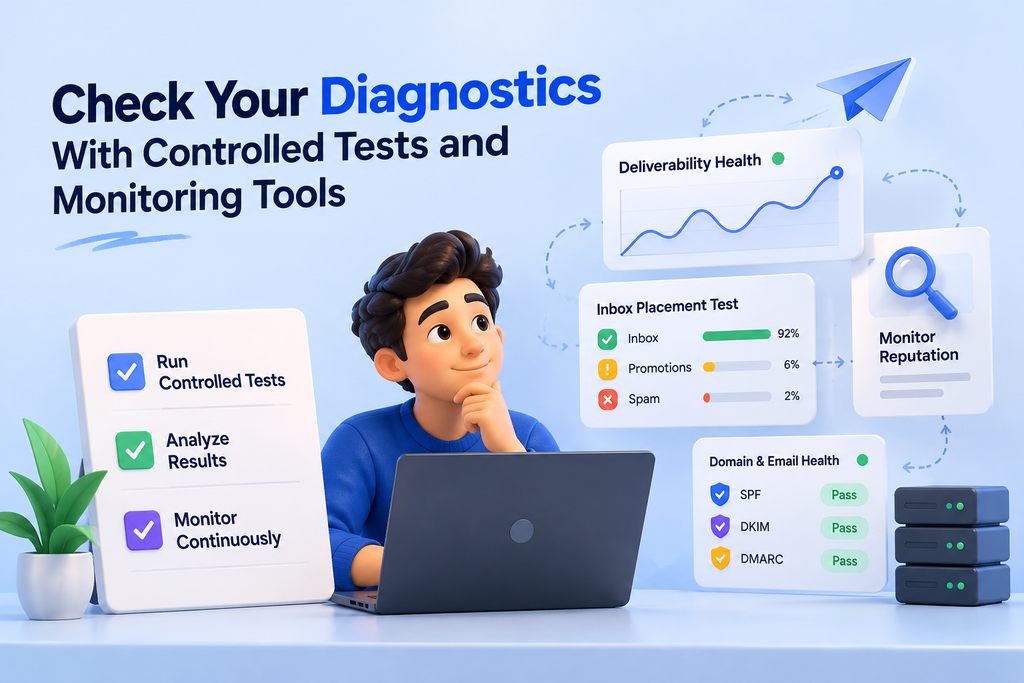
7. Check Your Diagnostics With Controlled Tests and Monitoring Tools
Controlled testing serves as the ultimate safety net for your cold email deliverability. Before you return to high-volume outreach, you must verify that your technical adjustments have successfully resolved previous issues. This final diagnostic stage helps protect your domain reputation and improve cold email deliverability before you resume sending campaigns to your entire list.
Run a Cold Email Checker Before You Resume Full-Scale Sending
Utilizing a professional cold email checker allows you to identify hidden configuration errors that manual audits might miss. These tools simulate the sending process to ensure your authentication protocols are firing correctly. By catching these errors early, you protect your sender identity from being flagged by major mailbox providers.
Send Seed Messages to Gmail, Outlook, and Other Relevant Mailboxes
You should send test messages to a variety of personal and professional accounts across different providers. This practice reveals how your emails appear in real-world environments like Gmail and Outlook. If your messages land in the spam folder during these tests, you know your infrastructure still requires refinement.
Test One Variable at a Time Across Small, Comparable Segments
When troubleshooting, avoid changing multiple settings simultaneously. By isolating one variable—such as your subject line or your sending cadence—you can pinpoint exactly what influences your performance. Use a reliable cold email outreach tool to manage these small, controlled segments effectively.
Read Bounce Codes, Spam Complaints, Placement Results, and Reply Quality Together
Deliverability is not defined by a single metric. You must synthesize bounce codes, spam complaints, and inbox placement data to gain a holistic view of your health. High reply quality is the ultimate indicator that your content resonates with your audience and avoids automated filters.
Build a Weekly Cold Email Deliverability Monitoring Routine
Consistency is the key to maintaining a healthy domain. A proactive cold email outreach tool can help you automate this process, but you should still review your data manually every week. Consider implementing the following steps in your routine:
- Review your cold email checker reports for any new authentication warnings.
- Analyze the ratio of inbox placement versus spam folder delivery across different providers.
- Monitor your bounce rates to ensure your list hygiene remains high.
- Track engagement metrics to confirm that your messaging remains relevant to your prospects.
Turn Deliverability Insights Into Better Outreach
You’ve identified the common causes of deliverability drops. Now use MailerRocket to manage your outreach more efficiently and work toward consistent, measurable campaign performance.
Conclusion
Maintaining high cold email deliverability requires a disciplined approach to your outreach strategy. You now possess a clear roadmap to diagnose issues by moving from baseline metrics through authentication, reputation, and infrastructure checks.
Focus on lead quality and message relevance to keep your engagement rates steady. Use controlled testing to verify that your adjustments work before you scale your volume back up. This repeatable workflow helps you identify the specific failure point in your current setup.
Do not look for a single universal fix for your outreach problems. Instead, view your cold email deliverability as a living process that demands constant monitoring. You should observe how your changes impact inbox placement over time.
Resume your full-scale sending only after the evidence shows improved performance across Gmail and Outlook. Consistent attention to these technical and content standards protects your domain reputation. Your commitment to these practices ensures your messages reach the right people at the right time.
FAQs
What is the most effective way to recover your cold email deliverability in the United States?
To recover your cold email deliverability, you must first stop your campaigns and diagnose the failure point rather than just changing your copy. Start by auditing your technical authentication such as SPF, DKIM, and DMARC to ensure you meet the latest requirements from Gmail and Yahoo. Once your technical foundation is solid, use Google Postmaster Tools and Microsoft SNDS to check if your domain or IP reputation has declined due to high spam complaints or poor engagement.
Can bad lead data ruin cold email deliverability for an entire domain?
Yes, can bad lead data ruin cold email deliverability is a critical question with a definitive “yes.” Sending messages to stale, disposable, or “catch-all” addresses leads to high hard bounce rates, which are a major red flag for Spamhaus and other filtering services. You should always verify your list using a cold email checker to remove role-based and invalid contacts before they ever enter your cold email marketing funnel.
How long should a cold email be to avoid being flagged as spam?
When considering how long should a cold email be, the consensus among cold email marketing professionals is to keep it between 50 and 125 words. Concise messages that respect the recipient’s time are less likely to be reported as spam. Shorter emails also allow you to focus on a single, clear call to action, which improves your engagement metrics and helps maintain a healthy sender reputation.
What are the cold email domain warming inbox rotation deliverability best practices?
The core cold email domain warming inbox rotation deliverability best practices involve building trust gradually. You should use a cold email outreach tool to slowly increase your daily volume over several weeks. When using inbox rotation, do not use it to hide excessive, spammy volume; instead, use it to distribute a natural sending cadence across multiple authenticated mailboxes to stay within the safe limits of providers like Outlook and Gmail.
How do you implement cold email personalization that actually drives engagement?
Effective cold email personalization must be based on verifiable prospect details, such as a specific company achievement or a recent professional insight. Avoid generic snippets that feel automated. When your personalization feels genuine and helpful, recipients are more likely to engage positively, which signals to mailbox providers that your outreach is legitimate and belongs in the primary inbox.
How to find emails for cold emailing while staying compliant with United States regulations?
To learn how to find emails for cold emailing safely, you should utilize reputable B2B data providers like Apollo.io or ZoomInfo. Ensure you are following CAN-SPAM Act requirements by including a clear physical address and a functional unsubscribe mechanism. Always cross-reference your findings with a verification tool to ensure the data is fresh, as sending to defunct email addresses will rapidly degrade your deliverability.
Why should you use a cold email outreach tool with built-in monitoring?
A high-quality cold email outreach tool provides essential guardrails, such as sending limits and real-time bounce monitoring. By using a platform that integrates with Google Postmaster Tools, you can spot reputation dips early. These tools allow you to manage your infrastructure and technical headers, like branded tracking domains, ensuring that your cold email marketing efforts remain consistent and professional.
When is it necessary to run a cold email checker during a campaign audit?
You should run a cold email checker whenever you notice a sudden drop in open rates or an increase in bounce codes. This diagnostic step helps you identify if your message contains “spammy” triggers, broken links, or if your sending domain has been blacklisted. It is a vital final check to perform before you resume full-scale sending after making adjustments to your infrastructure or lead data.